
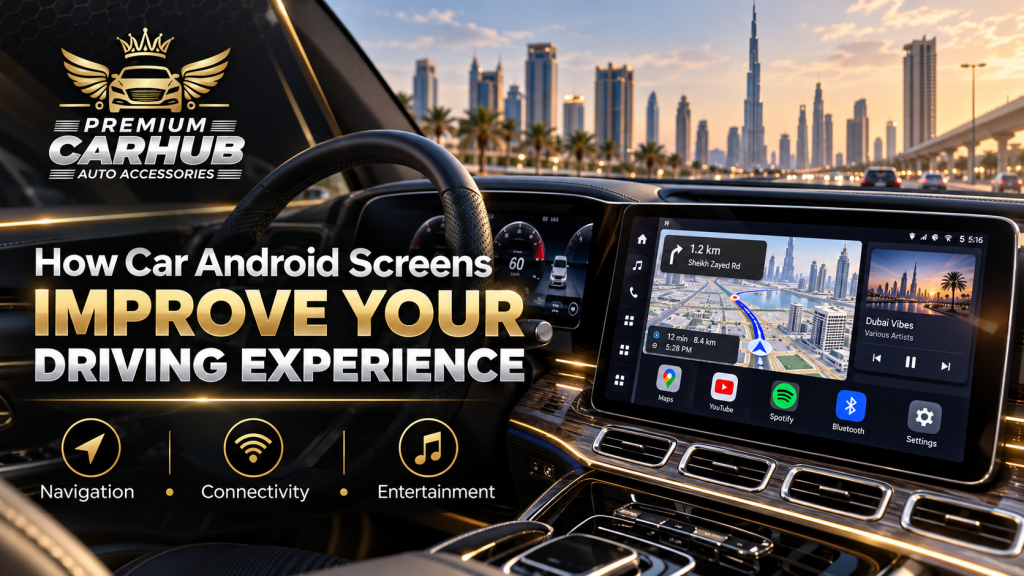
How Car Android Screens Improve Your Driving Experience
A car does not have to be old to feel outdated.
You can have a comfortable cabin, a strong engine and excellent road manners, yet the moment you start navigating through a small factory display or connect your phone through an old Bluetooth system, the vehicle suddenly feels a generation behind.
This is where Car Android Screens can make a noticeable difference.
A properly selected system does much more than replace the radio with a bigger touchscreen. It can bring navigation, phone connectivity, music, voice control, parking-camera displays and selected vehicle functions together in one interface that is easier to use during everyday driving.
For drivers in Dubai, the improvement can be particularly noticeable. Long commutes, complex highway interchanges, frequent navigation, high cabin temperatures and regular smartphone use place greater demands on an infotainment system.
At Premium Car Hub, our technicians regularly see customers who initially ask for an Android screen because they want a modern-looking dashboard. After installation, however, many discover that the biggest benefit is not appearance. It is how much easier routine driving becomes.
Contact Premium Car Hub for Car Android Screens Services
What Are Car Android Screens?
Car Android Screens are vehicle infotainment displays built around an Android-based operating system.
Unlike a conventional stereo, they function more like a dedicated dashboard computer. Depending on the unit, vehicle and installation, they can provide:
- Google Maps
- Waze
- Android Auto
- Wireless Apple CarPlay
- Bluetooth calling
- Music streaming
- GPS navigation
- Reverse-camera viewing
- 360-degree camera support
- Steering-wheel control integration
- Wi-Fi connectivity
- 4G SIM connectivity
- Split-screen functions
- Voice commands
- USB media
- Selected vehicle information
Premium Car Hub currently offers vehicle-specific Android touchscreen systems ranging from approximately 10.25 inches to 14.9 inches, with features including wireless smartphone integration, GPS navigation, 4G support and compatibility with original vehicle controls on suitable installations.
The important distinction is that a good Android screen is not simply a tablet mounted on the dashboard. Proper systems are designed to communicate with the vehicle while fitting into its interior architecture.
Contact Premium Car Hub for Car Android Screens Services
1. Navigation Becomes Far More Practical
Navigation is probably the feature most drivers notice immediately after upgrading.
Using navigation directly from a large dashboard display is considerably easier than repeatedly checking a phone mounted near an air vent.
Modern Car Android Screens can display Google Maps, Waze and other compatible navigation applications with clearer route information, larger junction graphics and more convenient destination searching.
Android Auto also supports voice-guided navigation, live traffic information, estimated arrival times and lane guidance through compatible navigation services.
Why this matters in Dubai
Dubai driving frequently involves:
- Multi-lane highways
- Large motorway interchanges
- Parallel service roads
- Frequent exits
- Toll routes
- Rapidly developing areas
- Heavy peak-hour traffic
Missing one exit on Sheikh Zayed Road or navigating the wrong service road can add considerable time to a journey.
A well-positioned display allows important navigation information to remain within the driver’s natural field of view instead of forcing frequent glances toward a phone.
The key is still to programme the destination before moving whenever possible.
2. Your Phone Stops Being the Centre of the Dashboard
Before installing an upgraded infotainment system, many drivers depend heavily on their smartphones.
The phone becomes responsible for:
- Navigation
- Phone calls
- Music
- Podcasts
- Messaging
- Traffic information
- Voice commands
That normally means using a phone holder, charging cable and Bluetooth connection simultaneously.
Car Android Screens consolidate many of these functions into one properly installed interface.
Android Auto, for example, allows compatible navigation, calling, messaging and music functions to appear on the vehicle’s screen. Google specifically designs Android Auto around bringing supported phone functions to the vehicle display while the driver remains focused on driving.
The result is a cleaner dashboard and less temptation to physically handle your phone.
3. Wireless Android Auto and Apple CarPlay Change Short Journeys Too
Wireless connectivity is sometimes dismissed as a luxury.
In real-world use, it can be surprisingly useful.
Consider someone driving from Al Khabaisi to Downtown Dubai for a meeting. If the journey is relatively short, they probably do not want to connect a USB cable every time they enter the vehicle.
With wireless Android Auto or Apple CarPlay, compatible phones can connect automatically.
Navigation, music and calling become available without creating an additional routine every time you start the car.
This is one reason our technicians consider wireless smartphone integration one of the most useful features when selecting Car Android Screens for regular daily-use vehicles.
Contact Premium Car Hub for Car Android Screens Services
4. Music and Audio Become Easier to Manage
Drivers who listen to Spotify, YouTube Music, podcasts or stored media can benefit considerably from a modern infotainment interface.
Instead of operating everything through a small phone screen, compatible media functions can be accessed through the dashboard.
Google’s Android Auto platform supports compatible music and podcast applications through both display controls and voice commands.
This does not automatically improve the physical quality of your speakers, but it makes your audio sources significantly easier to control.
Drivers considering a complete entertainment upgrade may combine an Android screen with improved speakers, amplifiers, DSP tuning or sound deadening.
5. Parking Becomes More Convenient With Proper Camera Integration
An important advantage of high-quality Car Android Screens is camera integration.
Depending on the car and system, the new screen can retain or support:
- Original reverse camera
- Aftermarket reverse camera
- Front parking camera
- 360-degree surround-view system
- Parking guidance lines
This becomes particularly useful in large SUVs and luxury vehicles.
A larger, higher-resolution display can make obstacles significantly easier to identify than an older low-resolution factory screen.
However, camera compatibility should be confirmed before installation. Some premium vehicles use proprietary camera systems and communication protocols that require specific interfaces.
6. Steering-Wheel Controls Can Remain Functional
A common concern is:
“Will I lose my original steering-wheel buttons?”
With correctly selected Car Android Screens, this should often be avoidable.
Vehicle-specific integration can allow compatible installations to retain controls such as:
- Volume up/down
- Track change
- Call answer/end
- Voice command
- Audio source selection
Maintaining these buttons is more than a convenience.
Physical steering controls allow common functions to be adjusted without reaching toward the touchscreen.
Premium Car Hub systems are designed to retain original steering-wheel controls and factory interfaces wherever the vehicle and selected system support them.
Contact Premium Car Hub for Car Android Screens Services
Car Android Screen vs Factory Infotainment vs Smartphone
| Feature | Factory Infotainment | Smartphone Mount | Car Android Screens |
|---|---|---|---|
| Google Maps/Waze | Model dependent | Yes | Yes |
| Screen size | Usually fixed | Small | Large |
| Wireless Android Auto | Newer cars only | N/A | Available |
| Wireless Apple CarPlay | Newer cars only | N/A | Available |
| Reverse-camera integration | Yes | No | Usually possible |
| Steering controls | Yes | No | Often retained |
| App flexibility | Limited | High | High |
| Dashboard appearance | Factory | Visible phone holder | OEM-style possible |
| 4G/Wi-Fi | Limited | Phone dependent | Available on selected units |
| Split-screen use | Limited | Limited | Available on selected units |
| Upgradeability | Low | Easy | Moderate |
| Professional installation | Not required | Not required | Required |
The smartphone remains excellent for portability. The factory system usually provides the strongest original integration.
Car Android Screens sit between the two: they can deliver smartphone-style flexibility while preserving much of the convenience of a built-in display.
7. Split-Screen Functions Can Reduce Constant Switching
Some Android infotainment units support split-screen operation.
For example, a driver might keep:
Navigation on one side + music information on the other.
This sounds like a minor convenience until you experience it regularly.
Without split-screen functionality, changing music may temporarily cover navigation information. With a suitable display, both can remain visible.
The usefulness of this feature depends heavily on screen size and interface design.
A compact display divided into multiple panels can become cluttered, whereas a properly positioned 10- to 14-inch system can provide sufficient space.
8. The Interior Feels Considerably Newer
Technology ages differently from mechanical components.
A well-maintained eight-year-old luxury SUV can still drive beautifully, but its factory infotainment system may instantly reveal its age.
Installing modern Car Android Screens can update the visual character of the cabin without replacing:
- Dashboard
- Seats
- Steering wheel
- Instrument cluster
- Interior trim
When the screen shape, bezel and position are carefully matched to the vehicle, the result can appear closer to a factory upgrade than an aftermarket modification.
This is why installation quality matters as much as screen specifications.
9. Voice Control Can Reduce Unnecessary Touch Interaction
A large touchscreen is useful, but drivers should not be constantly touching it.
Voice control can be more valuable.
Depending on your smartphone, software and configuration, voice commands may allow you to:
- Start navigation
- Search for destinations
- Make calls
- Play music
- Change playlists
- Access compatible messaging functions
Google is also transitioning supported Android Auto experiences toward Gemini-based conversational voice interaction during 2026.
The best infotainment setup therefore is not the one that gives you the most things to touch.
It is the one that requires you to touch the screen less while driving.
Contact Premium Car Hub for Car Android Screens Services
UAE-Specific Considerations Before Installing Car Android Screens
Dubai’s climate and driving environment make infotainment selection different from markets with cooler weather.
Heat Resistance Should Be a Priority
Vehicles parked outdoors in the UAE can develop extremely high cabin temperatures.
That places additional stress on:
- LCD/QLED panels
- Touch layers
- Processors
- Internal memory
- Adhesives
- Wiring
- Connectors
Cheap hardware may initially perform well but become slow or unreliable after repeated heat exposure.
Premium Car Hub technicians therefore recommend prioritising component quality and thermal reliability rather than choosing purely by screen size or price.
Contact Premium Car Hub for Car Android Screens Services
Screen Brightness Matters in Strong Sunlight
Dubai’s intense sunlight can make low-quality displays difficult to read.
Look for screens offering:
- Strong daytime brightness
- Good viewing angles
- Anti-glare characteristics
- Automatic or convenient brightness adjustment
- Clear contrast
A huge display that becomes unreadable under afternoon sunlight is less useful than a slightly smaller high-quality panel.
Driver Distraction Must Be Taken Seriously
An Android screen should reduce distraction, not create more of it.
Dubai RTA specifically warns motorists against mobile-phone distraction. Using a mobile phone while driving can result in an AED 800 fine and four black points.
RTA also advises drivers to plan routes before departure and avoid adjusting navigation and entertainment systems while driving.
For that reason:
- Enter destinations before moving.
- Use voice commands where practical.
- Avoid watching videos while driving.
- Keep commonly used apps easily accessible.
- Do not install interfaces that require complicated menus for simple functions.
The purpose of Car Android Screens should be to organise information better—not encourage drivers to interact with more information while moving.
Contact Premium Car Hub for Car Android Screens Services
Pros and Cons of Car Android Screens
Pros
Modern navigation
Google Maps, Waze and other supported navigation tools can be displayed directly on the dashboard.
Better smartphone integration
Wireless Android Auto and Apple CarPlay can reduce reliance on cables and phone holders.
Larger display
Maps, parking cameras and multimedia information become easier to view.
More entertainment options
Compatible streaming, audio and podcast services become easier to access.
Improved cabin appearance
A vehicle-specific screen can make an older interior feel substantially newer.
Camera compatibility
Reverse and 360-degree cameras can often be integrated.
Customisation
Owners can personalise apps, layouts and shortcuts.
Cons
Quality varies enormously
Two Android screens that look almost identical online can use completely different processors, memory, displays and internal components.
Incorrect installation can create problems
Poor wiring can cause battery drain, camera issues, audio interference or unreliable controls.
Cheap screens can become slow
Insufficient RAM and weak processors may produce frustrating delays.
Not every vehicle supports every function
Factory cameras, optical audio systems, parking sensors and vehicle menus may require specialist interfaces.
Contact Premium Car Hub for Car Android Screens Services
Large displays can create glare
Bigger is not always better.
Expert Recommendations From Premium Car Hub Technicians
Based on the type of installations handled by Premium Car Hub in Dubai, our technicians recommend evaluating the following before buying.
Do Not Choose Based on Screen Size Alone
An oversized screen can obstruct vents, controls or visibility.
The correct size depends on:
- Dashboard dimensions
- Driver seating position
- Original screen placement
- Vehicle model
- Interior design
Premium Car Hub has previously highlighted this issue when comparing screen sizes: viewing distance, glare, dashboard balance and control accessibility can be as important as the diagonal measurement itself.
Contact Premium Car Hub for Car Android Screens Services
Prioritise Processor and RAM
A beautiful display connected to weak hardware quickly becomes frustrating.
Navigation, wireless connectivity and multitasking require adequate processing performance.
Ask about:
- Processor specification
- RAM
- Storage capacity
- Boot speed
- Software support
Confirm Factory Functions Before Installation
Before removing the original display, determine exactly which features need to remain.
This could include:
- Original reverse camera
- 360 camera
- Steering controls
- Factory amplifier
- Parking sensors
- Vehicle settings
- Climate information
- OEM menus
The installer should confirm these requirements before starting work.
Prefer Plug-and-Play Wiring
Whenever the vehicle supports it, Premium Car Hub technicians favour properly engineered plug-and-play integration rather than unnecessary cutting of factory wiring.
This can make the installation cleaner and easier to diagnose or reverse later.
Test the Screen Before Leaving
After installation, check:
- Bluetooth calls
- Android Auto
- Apple CarPlay
- GPS
- Audio
- Steering buttons
- Reverse camera
- Microphone
- USB ports
- Wi-Fi
- Brightness
- Factory menu access
A ten-minute test can identify issues that might otherwise become inconvenient later.
Useful Premium Car Hub Guides for Your Upgrade
For readers planning an installation, these related resources provide more detailed guidance.
Explore Car Android & Apple CarPlay Screen Installation in Dubai
Premium Car Hub’s dedicated service page explains available Android touchscreen configurations, wireless connectivity, camera support and OEM integration. Car Android & Apple CarPlay Screens in Dubai
Choose the Correct Android Screen Size
Learn why viewing position, dashboard proportions and glare should be considered before selecting a display. How to Choose the Right Android Screen Size for Your Car
Understand Common Android Screen Problems
This guide explains causes of connectivity, screen, power and performance issues. Common Car Android Screen Problems and Solutions
Improve Audio Alongside Your Screen Upgrade
Drivers planning a complete infotainment transformation can also explore speakers, DSP, amplifiers and system tuning. High-End Car Audio & Sound Systems in Dubai
Authoritative Resources for Safer Connected Driving
For additional technical and road-safety information, motorists can refer to these authoritative sources.
Google’s Official Android Auto Setup Guide
Covers compatible phones, vehicles and connection requirements. Google Android Auto Help
Google’s Android Auto Navigation Guidance
Explains voice-guided navigation, traffic information and supported navigation features. Android Auto Turn-by-Turn Navigation
Dubai RTA Guidance on Driver Distraction
RTA provides official safety guidance concerning mobile-phone use and distracted driving. Dubai RTA Traffic Safety Guidance
Official UAE Traffic Violation Information
The UAE government publishes information covering traffic offences, including distracted driving. UAE Traffic and Patrol Laws
Frequently Asked Questions About Car Android Screens
1. Are Car Android Screens worth installing?
For drivers with outdated factory infotainment systems, they can be one of the most noticeable technology upgrades available.
The greatest benefits normally come from better navigation, wireless phone connectivity, parking-camera visibility and easier multimedia control.
However, installation quality and hardware specification determine whether the experience feels premium or frustrating.
2. Can an Android screen work with my original reverse camera?
Often, yes.
Vehicle-specific Car Android Screens can frequently retain factory reverse cameras, but some vehicles require adapters or specialised interfaces.
Compatibility should be checked using the exact vehicle model, year and original infotainment specification.
3. Will I lose my steering-wheel controls?
A professionally selected system can often retain steering-wheel audio and calling buttons.
Premium vehicles using more complex communication systems may require a CANBUS interface or vehicle-specific decoder.
4. Can iPhone users use Car Android Screens?
Yes.
The fact that the unit runs Android does not mean it is limited to Android phones.
Many modern systems support wireless or wired Apple CarPlay in addition to Android Auto.
5. Can I use Google Maps and Waze?
Yes, compatible systems can support both.
Users may run them through Android Auto or, depending on the unit, directly through the Android operating system.
A data connection may be required for live traffic information and certain online features.
6. Can I watch YouTube or Netflix on an Android car screen?
Some Android-based units technically support video applications.
However, video content should never be watched by the driver while the vehicle is moving.
Entertainment functions should be used responsibly and only where they do not distract the person driving.
7. Do Android screens need a SIM card?
Not always.
Many Car Android Screens can use Wi-Fi from your smartphone.
Selected systems also include 4G SIM support, which allows the unit to have its own mobile-data connection.
Whether this is worthwhile depends on how frequently you use online apps directly from the screen.
8. What screen size is best for my car?
There is no universal ideal size.
A 10.25-inch screen may be perfect for one sedan while a 12.3- or 14.9-inch display may suit a larger SUV.
Dashboard proportions, viewing distance, glare and access to vents and physical controls should determine the final choice.
9. Will an Android screen affect my car battery?
A correctly installed quality system should operate according to the vehicle’s normal accessory and sleep cycles.
Battery drain can occur when an unsuitable unit, incorrect wiring or poorly configured interface prevents the system from shutting down properly.
Professional installation is therefore important.
10. How long does Car Android Screen installation take?
Installation time depends on the vehicle and level of integration required.
Premium Car Hub lists approximately 3–5 hours for its Car Android & Apple CarPlay screen service, although complex vehicles or additional camera/audio work can require more time.
Conclusion: The Best Upgrade Is the One You Stop Thinking About
The real measure of good Car Android Screens is not how impressive they look when the car is parked.
It is how naturally they disappear into your everyday routine.
You enter the car. Your phone connects. Navigation appears. Your music resumes. Steering controls work normally. The reverse camera activates when required. Calls are manageable without handling a phone. The dashboard feels modern without forcing you to relearn the vehicle.
That is a successful infotainment upgrade.
For Dubai drivers, hardware quality deserves particular attention because strong sunlight, high cabin temperatures and frequent navigation place extra demands on electronics.
Rather than selecting the largest or cheapest display, choose a screen that matches the vehicle, retains the functions you already use and performs reliably in UAE conditions.
At Premium Car Hub, our technicians can assess your existing dashboard, factory electronics, camera system and smartphone requirements before recommending suitable Car Android Screens and connectivity options.
Contact Premium Car Hub Dubai
Location: 20th St – Al Khabaisi – Dubai, United Arab Emirates
Phone: +971 4 570 0353
Email: info@premiumcarhub.com
Website: Premium Car Hub