
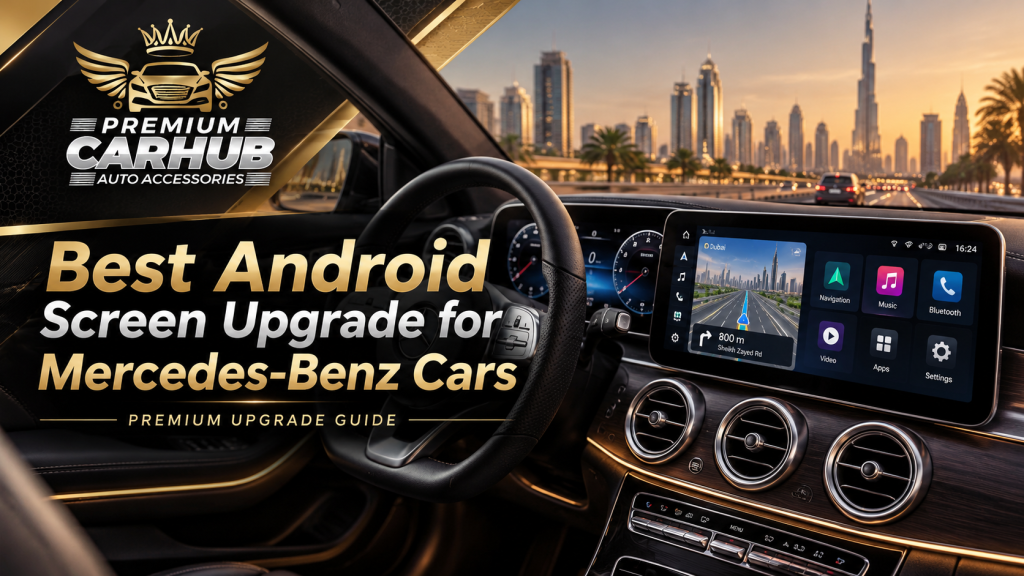
Best Android Screen Upgrade for Mercedes-Benz Cars: Complete Dubai Guide
Mercedes-Benz vehicles are known for sophisticated engineering, elegant interiors and technology that enhances the driving experience. However, even a well-maintained Mercedes can begin to feel outdated when its infotainment system no longer meets modern expectations.
A 2015 Mercedes C-Class may still offer excellent comfort and performance, but its original display can feel restrictive compared with the larger touchscreens found in newer luxury vehicles. Older navigation maps, limited smartphone integration and slower interfaces can make everyday journeys less convenient.
Installing the Best Android Screen is one way to modernise the cabin without replacing the entire vehicle or sacrificing its original character.
For Mercedes owners in Dubai, however, choosing an Android touchscreen involves more than selecting the largest display available.
Compatibility with COMAND or MBUX, steering-wheel controls, audio systems, reverse cameras, dashboard dimensions and factory vehicle settings all influence whether an upgrade will work properly.
At Premium Car Hub, Android infotainment upgrades are among the available luxury vehicle customisation services. This guide explains how Mercedes-Benz owners can evaluate the available options, avoid common installation mistakes and choose a system suited to UAE driving conditions.
Why Upgrade Your Mercedes-Benz to an Android Screen?
Mercedes-Benz infotainment technology has evolved significantly over the past decade.
Older vehicles often use COMAND or Audio 20 configurations, while newer models may feature MBUX with increasingly advanced connectivity and integrated vehicle functions.
The problem is not necessarily that older systems are defective. Many still work perfectly well.
The limitation is that smartphone technology has progressed faster than the original infotainment hardware.
1. Modern Smartphone Connectivity
A suitable Android upgrade can add access to services such as:
- Wireless Apple CarPlay
- Android Auto
- Google Maps
- Waze navigation
- Bluetooth music streaming
- Voice-assisted navigation
- Hands-free communication
An important distinction is that a full Android operating system and Android Auto are not the same thing. Android Auto projects supported smartphone functionality onto a compatible car display, whereas a full Android head unit runs its own operating system and applications.
The Best Android Screen should offer the connection method that suits how the owner actually uses the car.
2. Larger, More Responsive Displays
Many factory Mercedes displays were designed around buttons, rotary controllers or touchpads rather than direct touchscreen interaction.
A properly matched aftermarket display can offer sharper graphics and a more modern interface.
Screen sizes commonly considered for these upgrades include 10.25-inch, 12.3-inch and larger widescreen formats. Available sizes depend on the vehicle’s dashboard and compatible mounting hardware.
3. Updated Navigation for Dubai
Dubai’s road network includes multilane highways, complex interchanges, frequently changing access roads and busy urban districts.
Updated mapping through a compatible smartphone or connected Android system can help drivers navigate areas such as Business Bay, Dubai Marina, Downtown Dubai and Sheikh Zayed Road.
Navigation should be configured before driving, with voice directions enabled to reduce unnecessary screen interaction.
4. A More Contemporary Interior
The display is often one of the first things passengers notice when entering a vehicle.
A properly fitted screen can refresh the appearance of an older Mercedes without replacing its leather seats, dashboard trim or steering wheel.
The objective should be factory-style integration, not simply adding a large tablet above the centre console.
Understanding Mercedes-Benz Infotainment Compatibility
Before buying the Best Android Screen, Mercedes owners should identify which infotainment system their vehicle uses.
COMAND and Audio 20 Systems
Many older Mercedes-Benz models use configurations of COMAND or Audio 20.
These can differ in:
- Display connectors
- Factory controller operation
- Audio routing
- Camera inputs
- Optical audio integration
- Vehicle-menu functions
A screen sold for one COMAND generation may not work with another, even when both vehicles belong to the same model family.
MBUX Systems
Newer Mercedes models may use MBUX, which integrates infotainment with vehicle settings, instruments, voice assistance and connected services.
Some MBUX vehicles already support smartphone integration or can obtain selected functionality through an official activation, depending on model, region and equipment.
Before installing aftermarket hardware, owners should check whether an existing factory feature can be activated or updated.
Why Model Year Alone Is Not Enough
Consider two Mercedes C-Class vehicles registered in the same year.
One may have a different factory screen, audio package or infotainment generation from the other.
Both may be advertised as compatible with a particular Android display, but their connector arrangements could differ.
A reliable compatibility assessment should use the vehicle identification number (VIN), actual factory-system details and photographs of the dashboard and relevant menus.
Best Android Screen Options for Popular Mercedes-Benz Models
The following is a practical upgrade guide, not a guarantee of compatibility. Exact fitment depends on chassis generation, factory equipment, region and available hardware.
| Mercedes-Benz Model | Upgrade Direction | Important Compatibility Check |
|---|---|---|
| C-Class W204 | 10.25-inch-style integrated Android display | COMAND/Audio 20 variant and audio interface |
| C-Class W205 | OEM-style widescreen Android upgrade | Original display connection and touchpad controls |
| E-Class W212 | Dashboard-specific Android display | Factory controller, camera and audio compatibility |
| E-Class W213 | Smartphone interface or compatible screen solution | Existing widescreen cockpit and factory functions |
| GLC X253 | Integrated Android screen option | Camera, steering controls and vehicle menus |
| GLE W166 | OEM-style widescreen replacement | Original infotainment and premium audio system |
| S-Class W222 | Specialist integration solution | Dual-display architecture and factory electronics |
A late-model Mercedes with a functioning MBUX system may benefit more from an official connectivity upgrade than a complete screen replacement.
The Best Android Screen is therefore not necessarily the most expensive or newest aftermarket product. It is the system that delivers useful functionality while retaining the features the owner already values.
Comparison: Android Screen Upgrade vs Factory System vs CarPlay Interface
| Feature | Factory Mercedes System | Android Screen Upgrade | CarPlay/Android Auto Interface |
|---|---|---|---|
| Factory appearance | Original | Depends on fitment | Usually retained |
| Google Maps and Waze | Model-dependent | Often supported | Supported through compatible phone |
| Wireless connectivity | Equipment-dependent | Kit-dependent | Interface-dependent |
| Independent Android apps | Generally limited | Often available | No full independent Android OS |
| Steering controls | Native | Requires compatibility | Usually integrates through factory controls |
| Reverse-camera support | Native | Requires testing | Often retains factory display |
| Installation complexity | No retrofit | Medium to high | Low to medium |
| Best suited for | Newer, well-equipped models | Older systems needing a display refresh | Owners wanting smartphone integration without major changes |
For an older C-Class or E-Class with a small display, a complete Android upgrade can provide an appealing visual improvement.
For a newer MBUX-equipped Mercedes, a minimally invasive interface or factory-supported solution may be preferable.
This distinction helps avoid unnecessary changes to sophisticated factory electronics.
Essential Features to Look for in the Best Android Screen
A high-quality screen should perform reliably long after the initial excitement of installation has disappeared.
1. Display Quality and Brightness
Dubai’s strong sunlight can make poorly designed displays difficult to read.
Look for a screen with good outdoor visibility, adjustable brightness, an effective anti-reflection finish and clear viewing angles.
Resolution matters, but it should not be the only priority. A sharp display with severe reflections may be less useful than a slightly lower-resolution screen with better daylight readability.
2. Processor, RAM and Storage
The processor influences how smoothly navigation, music and other applications operate.
For a full Android replacement, 4GB RAM and 64GB storage can be a reasonable starting point, while 6GB or 8GB RAM may offer greater flexibility for multitasking.
These are shopping guidelines, not guarantees of performance. Software optimisation, processor quality and thermal management matter just as much as memory specifications.
3. Wireless Apple CarPlay and Android Auto
Owners who regularly switch between iPhone and Android devices should prioritise a system that supports both platforms.
Reliable automatic reconnection is especially useful for short daily journeys.
4. Factory-Control Preservation
The Best Android Screen should be evaluated against the vehicle’s existing functions.
Depending on the Mercedes model, these may include:
- Steering-wheel buttons
- Reverse camera
- Parking sensors
- Factory radio
- Original vehicle settings
- Premium sound system
- Centre-console controller
Not every aftermarket kit can retain every original function. A technician should demonstrate compatibility before installation is approved.
5. Dual-System Functionality
Some Android upgrades allow owners to switch between the original Mercedes interface and the new Android environment.
This can be particularly valuable when vehicle-specific settings are accessible only through the factory interface.
UAE-Specific Considerations for Mercedes Android Screen Installation
Extreme Heat and Electronic Reliability
A parked vehicle in Dubai can become extremely hot during summer.
Heat places additional stress on display panels, processors, power modules and adhesives.
Choose hardware intended for automotive environments, ensure ventilation paths remain unobstructed and avoid kits that rely on poorly secured components behind the dashboard.
Dust and Long-Term Maintenance
Fine dust can enter dashboard gaps and connectors during improper installation.
Professional fitting should include correct trim alignment, secure connectors and clean cable routing.
Road Safety and Driver Distraction
An Android display should make essential functions easier to access, not encourage drivers to watch videos or browse applications.
UAE traffic rules impose an AED 800 fine and four black points for handheld phone use or other distractions while driving.
Navigation, music and communication should be managed through appropriate hands-free functions wherever possible. Video entertainment should remain restricted to safe, stationary use.
Right-to-Left Arabic Interface Support
For bilingual drivers, language support can influence daily usability.
Check Arabic text rendering, voice guidance, keyboard input and the way notifications appear.
A screen advertised as multilingual does not necessarily provide equally reliable support across every application.
Pros and Cons of Mercedes-Benz Android Screen Upgrades
| Advantages | Potential Disadvantages |
|---|---|
| Modern navigation and connectivity | Incorrect kits can create compatibility problems |
| Larger display and improved interface | Poor-quality screens may lag or overheat |
| Wireless smartphone integration | Some factory functions may not transfer |
| Updated interior appearance | Premium audio systems can complicate installation |
| Access to supported applications | Improper fitting may cause rattles or wiring issues |
| Potential dual-system functionality | Warranty implications and future software support vary |
The Best Android Screen offers a balance between convenience and factory-system preservation.
An upgrade that removes useful Mercedes features simply to provide a bigger display may not represent an improvement.
Expert Recommendations from Premium Car Hub Technicians
Premium Car Hub’s published Android screen service highlights dual-system operation, plug-and-play wiring, wireless smartphone connectivity and retention of original controls as important features.
Based on those service priorities, the following are practical recommendations to discuss with a technician before installation.
Recommendation 1: Diagnose Before Replacing
If the original Mercedes display is blank, restarting or intermittently disconnecting, first determine whether the fault lies in the display, head unit, wiring or another module.
A new aftermarket screen will not necessarily solve an existing electronic fault.
Recommendation 2: Prioritise Reversible Installation
Where technically possible, favour vehicle-specific harnesses over unnecessary cutting of original wiring.
Reversible installation can simplify troubleshooting and potential future restoration.
Recommendation 3: Test Premium Audio Carefully
Mercedes vehicles equipped with systems such as Harman Kardon or Burmester may use specialised audio architectures.
Do not assume an Android screen will connect directly to every amplifier.
Confirm that the installer has a compatible interface and can demonstrate acceptable sound quality.
Recommendation 4: Perform a Practical Acceptance Test
Before collecting the car, the owner should personally test navigation, both smartphone operating systems where applicable, phone calls, audio playback, parking assistance and steering controls.
This short inspection often reveals problems that a visually impressive installation can conceal.
Recommendation 5: Confirm Software Support
Ask who supplies firmware updates, how faults are diagnosed and what warranty applies to the screen and installation labour.
A relatively inexpensive display with no dependable after-sales support can become expensive to maintain.
A Practical Mercedes-Benz Upgrade Example
Imagine a Dubai driver who owns a 2016 Mercedes E-Class with a functioning factory infotainment system but limited smartphone connectivity.
The owner initially considers installing the largest available Android display.
However, after reviewing the vehicle’s factory equipment, three priorities emerge: live Google Maps navigation, wireless smartphone connection and retention of the original parking camera.
Instead of choosing by size, the owner compares two compatible solutions.
A full Android screen offers a substantial visual improvement but requires more extensive installation and testing.
A smartphone interface module preserves the factory display while introducing the desired phone features, provided the original system supports the interface.
If the owner values the original dashboard design, the interface may be the better choice. If display size and independent Android applications matter more, a complete screen upgrade may justify the additional work.
This is the most useful way to select an upgrade: start with the actual problem, then choose the least disruptive solution that solves it.
Professional Installation Process at Premium Car Hub
A well-planned installation generally follows several stages.
Vehicle inspection: Identify the Mercedes model, original infotainment hardware, audio configuration and existing cameras.
Compatibility verification: Match the proposed screen, connectors and interface modules to the vehicle.
Dashboard preparation: Remove the necessary trim carefully, protecting clips and interior surfaces.
Hardware installation: Fit the screen and route appropriate cables without obstructing factory components.
Software configuration: Set up smartphone integration, audio routing, language, navigation and supported vehicle controls.
Final testing: Check factory-system access, parking assistance, steering controls, audio and screen behaviour.
Premium Car Hub advertises an estimated three-to-five-hour completion window for its general Android and CarPlay screen service. Complex Mercedes installations may require additional time, so the schedule should be confirmed for the individual vehicle.
How Much Does a Mercedes Android Screen Upgrade Cost in Dubai?
The total price depends on several factors rather than screen size alone.
The biggest cost variables include the Mercedes model, screen quality, processor specifications, compatible wiring interfaces, camera integration and installation complexity.
A full Android replacement typically involves more hardware than a simple smartphone interface module.
Before accepting a quotation, request an itemised explanation of what is included.
Confirm whether the quote covers the mounting frame, adapters, installation labour, software configuration, factory-feature testing and warranty.
For the Best Android Screen, long-term reliability should carry more weight than the lowest initial quotation.
Enhance Your Mercedes Interior with Premium Car Hub
An Android touchscreen can be part of a wider interior upgrade, particularly when combined with improvements to the sound system and cabin lighting.
Upgrade Your Mercedes with Android and Apple CarPlay
Explore Premium Car Hub’s Android Screen and Apple CarPlay installation service for touchscreen options, wireless smartphone integration and compatible dual-system installations.
Improve Sound Quality After Your Screen Upgrade
Read Car Audio Tuning Tips to understand how speaker balance, equalisation and amplifier configuration influence the listening experience.
Combine Your Screen with Modern Cabin Lighting
Discover Best Car Ambient Lighting Installation in Dubai for ideas on creating a coordinated, factory-inspired Mercedes interior.
Plan a Complete Luxury Interior Transformation
For broader customisation ideas, explore Car Interior Modification Ideas in Dubai, covering practical and aesthetic improvements suited to UAE conditions.
Authoritative Resources for Mercedes-Benz Owners
Verify Android Auto Compatibility
The official Google Android Auto Compatibility Checker helps owners understand supported vehicle and stereo configurations.
Check Apple CarPlay Availability
Apple publishes an official CarPlay vehicle compatibility list. Actual availability can still depend on the car’s equipment, market and model year.
Understand UAE Driving Safety Regulations
The Dubai Government Driving and Transportation Portal provides information about local driving rules and safety requirements.
Learn About Safe Driving Practices
The Dubai RTA Light Motor Vehicle Handbook offers guidance on driver attention, mobile phones and other in-car distractions.
Frequently Asked Questions About Mercedes-Benz Android Screens
1. What is the Best Android Screen for a Mercedes-Benz C-Class?
The ideal option depends on whether the vehicle is a W204, W205 or newer generation and which original infotainment system it uses.
For an older C-Class, a compatible 10.25-inch-style or 12.3-inch-style integrated display may provide a useful upgrade.
However, screen size should be secondary to reliable audio integration, camera support and factory-control compatibility.
2. Can I install an Android screen without removing the original Mercedes system?
Yes, certain aftermarket solutions use a dual-system arrangement that retains access to the original Mercedes interface.
Other installations may replace more of the original display hardware.
The available approach depends on the specific vehicle and retrofit kit.
3. Will an Android screen affect my Mercedes steering-wheel controls?
A properly matched upgrade may retain volume, track selection, call controls and other supported buttons.
However, compatibility must be verified through the appropriate vehicle interface.
The installer should demonstrate the controls after installation instead of relying only on product specifications.
4. Does a Mercedes Android screen support wireless Apple CarPlay?
Many aftermarket Android units support wireless Apple CarPlay.
However, wireless functionality is not universal, and connection reliability depends on both the screen hardware and smartphone.
Confirm compatibility with the actual phone before finalising the purchase.
5. Can I use Google Maps and Waze on my upgraded Mercedes screen?
Yes, provided the selected system supports those applications.
Android Auto and Apple CarPlay can display supported navigation apps through a connected smartphone.
A standalone Android unit may run compatible applications directly, using an appropriate internet connection.
6. Will my Mercedes reverse camera and parking sensors still work?
Many vehicle-specific upgrade kits support factory cameras and parking information through suitable interfaces.
However, support varies by vehicle and installed hardware.
Some systems require additional adapters, while others may have limitations involving dynamic guidelines or specialised camera views.
7. Is installing an Android screen safe for Mercedes electronics?
It can be when the system is compatible and installation is performed correctly.
The main risks arise from inappropriate wiring modifications, unsuitable interfaces, poor cable routing and incorrect power connections.
Professional installation and thorough testing help reduce these risks, although no aftermarket modification is entirely risk-free.
8. Is an Android screen upgrade legal in Dubai?
An ordinary infotainment upgrade is not automatically equivalent to an illegal vehicle modification.
However, it must not compromise safety or encourage distracted driving. Requirements may depend on the installation and applicable inspection or modification rules.
Drivers should avoid using distracting screen functions while moving and confirm any approval requirements with the relevant authority where necessary.
9. How long does Android screen installation take in Dubai?
Installation time depends on the vehicle and the complexity of the retrofit.
Premium Car Hub publishes a general service estimate of three to five hours, but some Mercedes configurations may require extra time for interfaces, audio integration and troubleshooting.
A vehicle-specific assessment provides the most reliable estimate.
10. Is upgrading an older Mercedes-Benz Android screen worth the money?
For many owners, it can be a worthwhile interior improvement, particularly when the original vehicle is in good condition.
Modern navigation, smartphone connectivity and a clearer display can improve everyday convenience.
Nevertheless, owners of newer vehicles should first investigate factory connectivity options before replacing functioning infotainment hardware.
Conclusion: Choose Compatibility Over Screen Size
The Best Android Screen upgrade for a Mercedes-Benz should feel like a natural extension of the vehicle rather than an accessory added as an afterthought.
A larger display may immediately modernise the cabin, but the true measure of a successful upgrade is how reliably it works during everyday driving.
Navigation should be clear. Smartphone connections should be dependable. Factory controls should remain functional wherever supported. Most importantly, the system should not compromise the original engineering that makes a Mercedes-Benz enjoyable to own.
For Dubai drivers, heat resistance, daylight readability and safe operation deserve particular attention.
Whether you own an older C-Class, a sophisticated E-Class or a luxury GLE, selecting the Best Android Screen begins with understanding your vehicle’s original equipment and identifying the improvements that genuinely matter.
Premium Car Hub provides Android screen and infotainment customisation services in Dubai, with options for owners looking to refresh their Mercedes-Benz interiors while prioritising professional integration.
Contact Premium Car Hub – Mercedes-Benz Android Screen Installation in Dubai
For Mercedes-Benz Android touchscreen upgrades, wireless CarPlay solutions and luxury interior customisation, contact Premium Car Hub for a vehicle-specific compatibility assessment and quotation.
Location: 20th St – Al Khabaisi – Dubai, United Arab Emirates
Phone: +971 4 570 0353
Email: info@premiumcarhub.com
Website: https://premiumcarhub.com/
Upgrade your Mercedes-Benz with technology that matches its luxury, comfort and driving experience.