
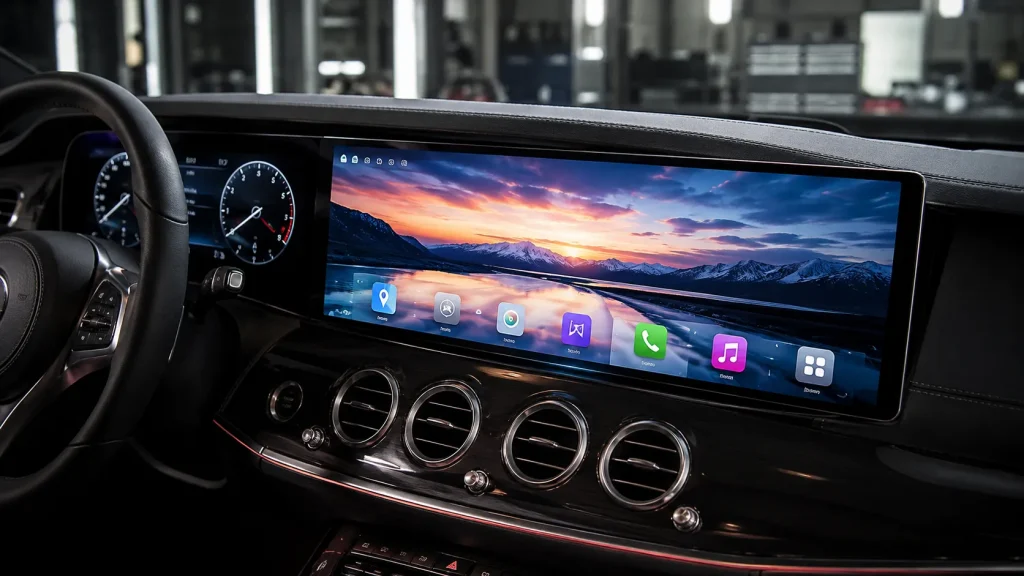
Common Car Android Screen Problems and Solutions
A modern Car Android Screen can turn an ordinary dashboard into a connected infotainment system with navigation, Bluetooth, Android Auto, Apple CarPlay, reverse-camera integration, music streaming and other useful functions.
But like any electronic system, an aftermarket infotainment unit can develop problems.
The frustrating part is that a screen that appears to have “stopped working” does not necessarily have a defective display. The actual cause may be a loose connector, unstable power supply, poor Wi-Fi connection, incompatible phone settings, excessive cabin heat, outdated firmware or an installation-related issue.
This distinction matters.
At Premium Car Hub in Dubai, technicians work with Android-based infotainment upgrades and vehicle-specific integrations. Their approach focuses on compatibility, factory integration, wiring protection and testing rather than simply replacing a component whenever something goes wrong. The company’s Android-screen service supports features such as wireless Apple CarPlay, Android Auto, GPS navigation, 4G connectivity, reverse cameras and retention of compatible factory controls.
For Dubai drivers, troubleshooting also needs to account for something that drivers in cooler climates may overlook: heat and intense sunlight can place additional stress on automotive electronics.
This guide explains the most common problems, what you can safely check yourself, and when a professional inspection makes more sense.
Contact Premium Car Hub for Car Android Screen installation
Why Do Car Android Screens Develop Problems?
Before troubleshooting, it helps to understand that an infotainment system is not just a display.
A typical aftermarket setup may involve:
- The touchscreen panel
- Android operating system
- Main processing unit
- Vehicle-specific interface module
- Power supply
- USB connections
- Bluetooth
- Wi-Fi
- GPS antenna
- Microphone
- Reverse camera
- Steering-wheel controls
- Factory amplifier
- CAN-bus communication
- Android Auto or Apple CarPlay
A problem in one part can make another component appear faulty.
For example, if the display turns on but the reverse camera does not appear, replacing the entire screen may accomplish nothing. The problem could be the camera trigger, interface module or wiring.
That is why symptom-based diagnosis is usually more useful than immediately replacing hardware.
Contact Premium Car Hub for Car Android Screen installation
10 Common Car Android Screen Problems and Their Solutions
1. The Screen Is Completely Black
One of the most worrying symptoms is a completely blank display.
Before assuming the screen has failed, check whether the vehicle’s other electrical systems are working normally.
Possible causes
- Blown fuse
- Loose power connection
- Weak battery voltage
- Ignition signal problem
- Loose harness
- Faulty interface module
- Internal hardware failure
What you can check
Turn the vehicle off completely, wait for a few minutes and restart it.
If possible, check whether other factory electrical functions are operating normally.
If the screen remains completely dead, avoid repeatedly disconnecting and reconnecting wiring yourself.
A professional technician can check power, ground, ignition signal and communication lines systematically.
Premium Car Hub technician recommendation: If a previously reliable screen suddenly becomes completely dead, diagnose the power path before purchasing a replacement screen.
Contact Premium Car Hub for Car Android Screen installation
2. The Touchscreen Is Not Responding
Sometimes the display works but does not respond correctly to touch.
This can range from a completely unresponsive panel to specific areas that fail to register touches.
Common causes
- Touch calibration issue
- Software freeze
- Screen protector interference
- Moisture or contamination
- Damaged digitizer
- Excessive heat
- Hardware failure
First restart the system if the interface allows it.
Clean the screen with an appropriate microfiber cloth and remove any unsuitable protective film.
If only a particular section of the touchscreen consistently fails, however, the problem may be hardware-related rather than software-related.
A technician can determine whether recalibration, firmware service or screen replacement is appropriate.
Contact Premium Car Hub for Car Android Screen installation
3. The Screen Is Slow or Freezes
A slow interface is one of the most common complaints with older Android head units.
You may notice:
- Delayed touch response
- Apps taking a long time to open
- Navigation freezing
- Music stopping temporarily
- Home screen becoming unresponsive
- System restarting unexpectedly
Why does this happen?
The processor and RAM of the unit have a major effect on performance.
A system running multiple background applications, navigation, Bluetooth and media simultaneously may become sluggish if its hardware resources are limited.
Storage can also become crowded with applications, cached data and downloaded files.
Practical solution
Start by removing applications you do not use.
Clear unnecessary cached data where appropriate and restart the system periodically.
If performance has deteriorated significantly despite having sufficient free storage, the problem may involve aging hardware, firmware or excessive thermal load.
This is one reason Premium Car Hub recommends looking beyond screen size when selecting an upgrade. Their own guidance emphasizes factors such as processor performance, compatibility, heat resistance and integration rather than simply choosing the largest display.
Contact Premium Car Hub for Car Android Screen installation
4. The Android Screen Overheats in Dubai
This deserves special attention for UAE drivers.
A parked vehicle can become extremely hot under direct sunlight. Even when the cabin air conditioning later brings the temperature down, electronics may already have experienced a significant thermal load.
A Car Android Screen installed in Dubai therefore needs to be selected and installed with local conditions in mind.
Symptoms of overheating
You may notice:
- Screen becoming unusually slow
- Random restarts
- Touch response becoming inconsistent
- System shutting down temporarily
- Display becoming difficult to read
- Bluetooth or Wi-Fi instability
How to reduce the problem
Park in shaded areas whenever practical.
Use the vehicle’s sunshade when parked for extended periods.
Avoid covering ventilation openings around the head unit.
If overheating happens repeatedly, have the installation inspected rather than treating each shutdown as an isolated software problem.
Premium Car Hub states that its materials are selected with UAE road conditions in mind and highlights heat-resistant and UV-stable materials as part of its Dubai-focused installation approach.
Contact Premium Car Hub for Car Android Screen installation
5. Android Auto Keeps Disconnecting
Android Auto problems are sometimes blamed on the head unit when the actual problem originates with the phone, cable or wireless connection.
Google recommends keeping Bluetooth, Wi-Fi and Location Services enabled during wireless Android Auto setup and advises drivers to complete setup while the vehicle is parked.
Try these steps
- Restart your phone.
- Restart the infotainment system.
- Check Bluetooth.
- Check Wi-Fi.
- Try another high-quality USB cable for wired Android Auto.
- Remove and re-pair the vehicle.
- Check phone and head-unit compatibility.
- Confirm the Android Auto software is functioning correctly.
If several different compatible phones experience the same problem, the vehicle-side system deserves closer inspection.
Contact Premium Car Hub for Car Android Screen installation
6. Apple CarPlay Is Not Connecting
Apple CarPlay has similar connection issues.
Apple recommends checking the physical connection for wired CarPlay, while wireless CarPlay requires Bluetooth and Wi-Fi to be enabled. Apple also recommends restarting the iPhone and vehicle and checking whether the infotainment system is running current firmware.
A useful diagnostic test
If wireless CarPlay fails, try wired CarPlay if the system supports it.
If wired connection works but wireless does not, the problem may be associated with wireless pairing, Wi-Fi communication or the wireless module.
If neither works, check compatibility and the vehicle-side interface.
This simple comparison can prevent unnecessary hardware replacement.
7. GPS Navigation Is Inaccurate
Navigation problems can be especially inconvenient in Dubai, where drivers frequently depend on GPS for complex interchanges, exits and changing routes.
A navigation system may show:
- Incorrect vehicle position
- Slow location updates
- Position jumping between roads
- GPS signal loss
- Delayed route recalculation
Possible causes
- GPS antenna position
- Poor antenna connection
- Signal obstruction
- Software issue
- Incorrect location settings
- Hardware fault
An important installation detail is the GPS antenna position.
A high-quality head unit cannot compensate for a badly positioned or disconnected antenna.
If navigation became unreliable immediately after installation, tell the installer. The timing itself is useful diagnostic information.
Contact Premium Car Hub for Car Android Screen installation
8. Bluetooth Connects but Calls Have Poor Audio
Bluetooth may appear to work while call quality remains poor.
The problem could involve:
- Microphone placement
- Incorrect audio routing
- Bluetooth profile compatibility
- Phone permissions
- External microphone connection
- System audio settings
If callers repeatedly say that they cannot hear you clearly, don’t automatically assume the microphone itself is defective.
The microphone’s position matters.
A microphone buried behind the dashboard or blocked by trim can produce significantly worse results than one installed where it has a clear path into the cabin.
9. Reverse Camera Does Not Display
A reverse camera is one of the most important integrations associated with a modern infotainment upgrade.
If the screen works normally but the camera does not activate when reverse gear is selected, possible causes include:
- Camera power problem
- Reverse trigger issue
- Video cable problem
- Interface module issue
- Camera failure
- Incorrect configuration
A critical distinction
If the camera works but appears with incorrect orientation or guidelines, that is different from having no video signal at all.
Technicians should diagnose these symptoms separately.
Premium Car Hub’s Android-screen service specifically highlights compatibility with reverse-camera views, 360° surround-view cameras and park-assist systems.
Contact Premium Car Hub for Car Android Screen installation
10. Steering-Wheel Controls Stop Working
After installing a new infotainment unit, some drivers discover that volume, track-selection or call buttons no longer work.
This can happen when the new system is not correctly communicating with the vehicle’s original controls.
Depending on the vehicle, integration may involve a CAN-bus interface or vehicle-specific harness.
The solution is not necessarily to abandon the upgrade.
A compatible interface and correct configuration can allow the new system to communicate with existing controls while preserving the factory user experience.
This is why vehicle-specific compatibility should be confirmed before installation, not after the dashboard has been dismantled.
Contact Premium Car Hub for Car Android Screen installation
Comparison: DIY Troubleshooting vs Professional Diagnosis
| Problem | Safe First Check | DIY Suitable? | Professional Inspection |
|---|---|---|---|
| Black screen | Restart vehicle/system | Sometimes | Recommended if persistent |
| Slow performance | Restart/remove unused apps | Yes | If recurring |
| Touch failure | Clean/restart | Yes | If specific areas fail |
| Android Auto | Re-pair/check cable | Yes | If multiple phones fail |
| CarPlay | Check Bluetooth/Wi-Fi/cable | Yes | If connection remains impossible |
| GPS issue | Check GPS settings | Yes | If signal remains inaccurate |
| Reverse camera | Test reverse activation | Limited | Recommended |
| Steering controls | Check settings | Limited | Recommended |
| Overheating | Allow vehicle to cool | Limited | Recommended if recurring |
| Complete system failure | Basic restart | Limited | Strongly recommended |
Pros and Cons of an Android Infotainment Upgrade
Before discussing problems, it is worth considering why drivers choose these systems in the first place.
Pros
Modern Connectivity
A properly integrated system can bring Android Auto, Apple CarPlay, Bluetooth and navigation to vehicles that originally had limited connectivity.
Contact Premium Car Hub for Car Android Screen installation
Larger and Better Displays
A high-resolution touchscreen can make maps, camera feeds and menus easier to view.
Vehicle Integration
Compatible systems can retain steering-wheel controls, factory cameras and other OEM functions.
Flexible Features
Depending on the system, drivers may have access to GPS, 4G, multimedia applications and other connected features.
Cost-Effective Upgrade
Upgrading an existing vehicle can be more practical than changing the entire car simply because its infotainment technology has become outdated.
Contact Premium Car Hub for Car Android Screen installation
Cons
Compatibility Is Not Universal
A system that works perfectly in one vehicle may require a different interface or configuration in another.
Contact Premium Car Hub for Car Android Screen installation
Heat Can Affect Electronics
UAE conditions make thermal management particularly important.
Cheap Hardware Can Create Long-Term Problems
An attractive price does not necessarily indicate good processor performance, display quality, component reliability or installation quality.
Installation Quality Matters
Poor wiring, incorrect interfaces or careless dashboard removal can create problems that are unrelated to the Android system itself.
Contact Premium Car Hub for Car Android Screen installation
UAE-Specific Considerations for Car Android Screens
Heat Resistance Should Be a Selection Criterion
Dubai’s climate changes how drivers should evaluate automotive electronics.
A screen that performs well in a climate-controlled showroom should also cope with high cabin temperatures after the vehicle has been parked outdoors.
Ask the installer about:
- Heat tolerance
- Ventilation
- Component quality
- Screen brightness
- UV exposure
- Warranty coverage
Screen Brightness Matters in Dubai Sunlight
A display can look excellent indoors and become difficult to read outdoors.
High daytime brightness and appropriate screen positioning matter when driving under strong UAE sunlight.
Premium Car Hub’s own guidance on display upgrades specifically identifies daytime visibility and Dubai’s strong sunlight as important factors when choosing automotive displays.
Contact Premium Car Hub for Car Android Screen installation
Avoid Excessive Driver Interaction
A technologically advanced dashboard should make driving easier—not create more distractions.
Drivers should configure navigation and smartphone connectivity before starting their journey.
Google’s Android Auto guidance explicitly reminds drivers to pay attention to road and traffic conditions and follow applicable laws.
UAE traffic regulations also restrict holding a mobile phone while driving; the federal traffic regulation states that a driver making a phone call while driving must use appropriate hands-free equipment and may not hold the mobile phone or handset.
An infotainment upgrade should therefore support hands-free, simple interactions rather than encourage drivers to manually operate apps while moving.
Contact Premium Car Hub for Car Android Screen installation
What Premium Car Hub Technicians Recommend
A good troubleshooting process starts with the vehicle, not just the screen.
Premium Car Hub technicians recommend checking these six areas before replacing an infotainment unit:
Contact Premium Car Hub for Car Android Screen installation
1. Confirm the Vehicle
Record the make, model, year and existing factory infotainment configuration.
2. Identify the Exact Symptom
“Screen not working” is too broad.
Is the display black? Is there no audio? Is touch failing? Is Android Auto disconnecting? Does the camera fail only in reverse?
3. Check the Installation
Inspect power, ground, connectors, interface modules and antennas.
4. Test Individual Functions
Check:
- Touch
- Audio
- Bluetooth
- GPS
- Android Auto
- CarPlay
- Reverse camera
- Steering controls
5. Test With Another Compatible Phone
This is particularly useful for determining whether a connectivity problem originates with the phone or vehicle system.
6. Replace Hardware Only When Diagnosis Supports It
This is perhaps the most important recommendation.
Don’t replace a screen simply because an application has stopped connecting.
A proper diagnosis can sometimes turn what appears to be a major hardware failure into a simple configuration or connection issue.
Premium Car Hub describes its installation process as using non-invasive methods intended to protect factory wiring and retain compatible OEM functions.
Contact Premium Car Hub for Car Android Screen installation
Related Premium Car Hub Guides and Services
If you’re researching an infotainment upgrade or troubleshooting an existing unit, these resources provide useful next steps:
- Car Android & Apple CarPlay Screens in Dubai: Explore Premium Car Hub’s Car Android Screen Service
- Choosing the Correct Display Size: Read the Android Screen Size Guide
- Android Auto Connectivity: Explore the Android Auto Upgrade Guide for Dubai
- Android Screen Upgrade for Toyota, Nissan & BMW: Read the Vehicle-Specific Upgrade Guide
- Premium Car Hub: Visit Premium Car Hub Dubai
These pages can help vehicle owners understand the difference between selecting a new system and diagnosing an existing one.
Authoritative Resources for Android Auto, CarPlay and UAE Driving
For technical troubleshooting, it is better to rely on official documentation where available:
- Google Android Auto Help — Android Auto setup and troubleshooting guidance.
- Apple CarPlay Support — Apple’s official CarPlay troubleshooting steps.
- Apple Guide to Connecting iPhone to CarPlay — Official connection guidance for iPhone users.
- UAE Federal Traffic Legislation — Official UAE legislation relating to driver obligations and mobile-phone use.
Contact Premium Car Hub for Car Android Screen installation
Frequently Asked Questions
1. Why is my Car Android Screen not turning on?
A completely black display can be caused by a power, fuse, ignition, wiring, interface or hardware problem. Start with a complete vehicle restart. If the screen remains dead, professional diagnosis is preferable to replacing the unit immediately.
2. Why does my Android car screen keep restarting?
Repeated restarts may be caused by unstable power, overheating, firmware problems, insufficient system resources or hardware failure. In Dubai, recurring restarts after the vehicle has been parked in strong sunlight deserve particular attention because thermal conditions can contribute to electronic instability.
3. Why is my Android Auto disconnecting?
Check the USB cable if you use wired Android Auto. For wireless Android Auto, check Bluetooth and Wi-Fi and re-pair the phone. Google also recommends checking compatibility and following the vehicle manufacturer’s instructions.
4. Why does Apple CarPlay suddenly stop working?
Restart the iPhone and vehicle, check Bluetooth and Wi-Fi for wireless CarPlay, or try another suitable USB cable for wired CarPlay. Apple also recommends checking that the vehicle supports CarPlay and that the relevant software is current.
Contact Premium Car Hub for Car Android Screen installation
5. Why is my car touchscreen responding slowly?
Possible causes include software overload, insufficient system resources, storage issues, high cabin temperatures or failing touchscreen hardware. If restarting and reducing unnecessary applications does not help, have the unit professionally diagnosed.
6. Can Dubai heat damage an Android car screen?
High temperatures can place additional thermal stress on electronic components. A quality installation should therefore consider ventilation, component quality and heat-resistant materials. Avoid leaving the vehicle exposed to direct sunlight for unnecessarily long periods when practical.
7. Why is my reverse camera not showing on the screen?
The problem may be with the camera, power supply, video cable, reverse trigger, interface module or head-unit configuration. Because the camera is connected to multiple systems, professional diagnosis is often faster than replacing the camera immediately.
8. Can an Android screen retain steering-wheel controls?
Many vehicle-specific systems can retain compatible steering-wheel controls when the correct interface and configuration are used. Compatibility should be confirmed based on the exact make, model and year before installation.
9. Should I repair my existing screen or replace it?
That depends on the fault. Software, configuration, wiring and connectivity issues can often be addressed without replacing the unit. A damaged display, failing processor or unreliable hardware may make replacement more sensible.
10. Where can I get a Car Android Screen checked in Dubai?
Premium Car Hub provides Android and Apple CarPlay screen upgrades and integration services from its workshop at 20th St, Al Khabaisi, Dubai. Its service covers compatible touchscreen systems, smartphone integration, GPS, reverse cameras and factory-control retention.
Contact Premium Car Hub for Car Android Screen installation
Final Thoughts
A Car Android Screen is often blamed when something goes wrong with the vehicle’s infotainment system, but the screen itself is only one part of a much larger electronic ecosystem.
The better approach is to diagnose the symptom.
A black display points you toward power and hardware.
A frozen interface points toward software, memory or temperature.
Poor Android Auto connectivity points toward phone, cable, Bluetooth or Wi-Fi communication.
A missing reverse-camera image points toward the camera circuit or vehicle interface.
Broken steering controls point toward integration and configuration.
Contact Premium Car Hub for Car Android Screen installation
For Dubai drivers, there is another layer: the environment matters. Heat, sunlight, long drives and frequent dependence on navigation make display quality, thermal performance, installation technique and usability more important than they might initially appear.
The best upgrade is therefore not necessarily the largest screen or the cheapest system. It is the system that matches the vehicle, works with the factory electronics, performs reliably in UAE conditions and is installed correctly.
At Premium Car Hub, the focus is on vehicle-specific integration and professional installation rather than treating every car as a universal fit. The company operates from Al Khabaisi in Dubai and provides automotive technology and customization services including Android screens, CarPlay integration, lighting, sound upgrades and other vehicle accessories.
Contact Premium Car Hub
Premium Car Hub
Location: 20th St – Al Khabaisi – Dubai, United Arab Emirates
Phone: +971 4 570 0353
Email: info@premiumcarhub.com
Website: premiumcarhub.com
Contact Premium Car Hub for Car Android Screen installation