
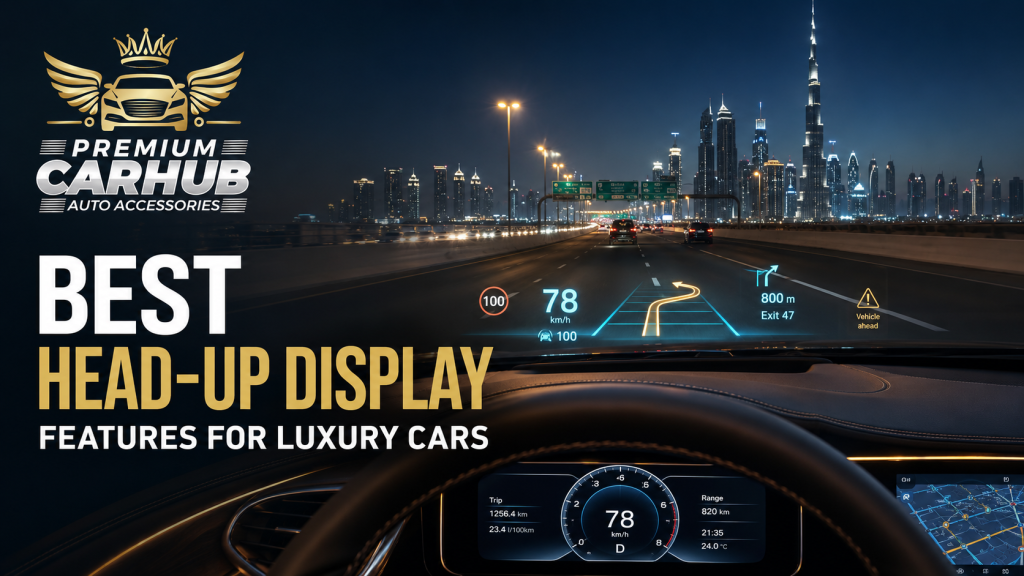
Best Head-Up Display Features for Luxury Cars
Luxury-car technology should make driving feel simpler, not place more screens and information between the driver and the road. A well-designed head-up display achieves this by projecting selected information closer to the driver’s natural line of sight.
Speed, navigation instructions and compatible safety alerts can remain visible without repeatedly looking down at the instrument cluster. However, not every HUD provides the same clarity or integration. A bright but cluttered unit can become distracting, while a technically advanced system may still perform poorly if it is incompatible with the vehicle’s windshield.
Choosing the Best Head-Up Display requires more than comparing screen size and promotional feature lists. Dubai drivers must consider direct sunlight, cabin heat, sunglasses, windshield construction, vehicle electronics and the type of information they genuinely need.
This guide explains which features deliver practical value, how different HUD technologies compare and what Premium Car Hub technicians recommend before installation.
Contact Premium Car Hub for Best Head-Up Display
What Is a Head-Up Display?
A head-up display, commonly called a HUD, presents driving information on or above the dashboard so that the driver can see it while looking toward the road.
There are two common projection methods.
Windshield-Projected HUD
The image is reflected onto a defined area of the windshield. Premium factory systems often use specially designed laminated glass and vehicle-specific optics to produce a clear virtual image.
Combiner HUD
The image is projected onto a small transparent panel positioned above the dashboard. This approach can suit vehicles whose windshields are not designed for direct projection.
More advanced systems use augmented reality to visually position navigation arrows or driver-assistance graphics closer to the relevant lane, vehicle or road area.
Contact Premium Car Hub for Best Head-Up Display
The Three-Layer Test for Choosing a Luxury HUD
Premium Car Hub technicians recommend evaluating every system through three layers.
1. Visibility
Can the driver read it in strong UAE sunlight, at night and while wearing their usual sunglasses?
2. Information Quality
Does the display show genuinely useful information, or does it fill the windshield with icons that increase mental workload?
3. Vehicle Integration
Can the unit communicate reliably with the car without causing warning lights, battery drain, loose wiring or compatibility problems?
The Best Head-Up Display performs well across all three layers. A product that fails even one can become frustrating after the novelty disappears.
Contact Premium Car Hub for Best Head-Up Display
Best Head-Up Display Features for Luxury Cars
1. High Daylight Brightness and Contrast
Dubai’s intense sunlight is one of the toughest real-world tests for any projected display. A system that looks impressive in an indoor workshop may appear washed out when the vehicle is driven toward direct afternoon sun.
Look for:
- Strong peak brightness
- High contrast
- Automatic brightness adjustment
- Anti-glare optical design
- Clear colours against bright backgrounds
- Manual brightness control for personal preference
DENSO has previously highlighted increased brightness as an important factor for clearer HUD visibility in direct sunlight. For the UAE, this is not a minor specification it is central to everyday usability.
The Best Head-Up Display should remain readable without requiring maximum brightness at all times. Constant excessive brightness can create reflections and become uncomfortable at night.
Contact Premium Car Hub for Best Head-Up Display
2. Automatic Day and Night Adjustment
A luxury HUD should adjust smoothly as external light changes.
A driver may leave an underground parking area, enter bright sunlight and later drive through a shaded tunnel within minutes. A system that requires constant manual adjustment interrupts the premium experience.
Good automatic dimming should:
- Increase brightness in direct daylight
- Reduce intensity in tunnels
- Avoid sudden brightness jumps
- Prevent glare on dark roads
- Coordinate with the vehicle’s lighting where compatible
Night mode is particularly important during long drives on Sheikh Zayed Road or quieter inter-emirate routes. The display should remain visible without dominating the windshield.
3. Adjustable Projection Height and Position
Drivers do not sit at the same height or use identical seating positions. The projected image therefore needs vertical and, ideally, horizontal adjustment.
This becomes especially important in luxury cars shared by different family members or professional drivers. When a seat memory profile changes, compatible factory systems may restore a driver-specific HUD position.
Before selecting the Best Head-Up Display, confirm that the projection can be positioned comfortably without forcing the driver to raise, lower or tilt their head.
A proper setup places information inside the driver’s useful viewing area while keeping the central road view clear.
Contact Premium Car Hub for Best Head-Up Display
4. Clear Speed and Speed-Limit Information
Vehicle speed is the most consistently useful HUD function. It allows the driver to check speed with minimal downward eye movement.
A capable system may also display:
- Current vehicle speed
- Detected or map-based speed limit
- Overspeed warning
- Cruise-control setting
- Adaptive-cruise status
The driver must still follow actual road signs and current regulations. Map databases and camera recognition can occasionally be outdated, obstructed or incorrect.
For Dubai drivers moving between roads with different limits, a clean speed display can be valuable. The best presentation uses large numerals and subtle alerts rather than constant flashing graphics.
5. Turn-by-Turn Navigation and Lane Guidance
Basic HUDs show a directional arrow and distance to the next turn. More advanced systems can show road names, lane recommendations and junction graphics.
This is useful around complex interchanges where several exits appear close together. Instead of looking repeatedly at the centre screen, the driver receives the next instruction in a more convenient viewing position.
BMW states that its 3D Head-Up Display can combine upcoming navigation manoeuvres and driver-assistance information into a single view. The Best Head-Up Display should prioritize the next necessary instruction instead of trying to reproduce the entire navigation map.
Contact Premium Car Hub for Best Head-Up Display
6. Augmented-Reality Navigation
Augmented-reality HUDs attempt to align guidance with the outside environment. A turn arrow may appear farther ahead in the driver’s view, visually connecting the instruction with the correct road or lane.
Mercedes-Benz has demonstrated augmented-reality content that projects animated directional guidance in relation to the road ahead.
AR navigation can be valuable when:
- Several exits are positioned close together
- The correct lane must be selected early
- The driver is unfamiliar with a large interchange
- Traditional arrows leave room for interpretation
Alignment quality matters. If the graphic appears to drift, float or point toward the wrong lane because of calibration problems, the feature loses its value.
Contact Premium Car Hub for Best Head-Up Display
7. ADAS and Hazard-Alert Integration
The most advanced HUD systems can display selected information from compatible driver-assistance features, such as:
- Lane-departure warnings
- Adaptive-cruise information
- Forward-collision alerts
- Blind-spot or lane-change guidance
- Detected vehicles
- Road-sign recognition
- Navigation-related lane positioning
Continental explains that augmented-reality displays can visually confirm what vehicle cameras and radar systems have detected. This can help the driver understand which vehicle or lane the assistance system is responding to.
However, the Best Head-Up Display should present only urgent or relevant alerts. Repeating every dashboard icon on the windshield creates visual noise.
8. Polarized-Sunglasses Compatibility
Polarized sunglasses reduce reflected glare, making them popular for bright UAE driving. Unfortunately, certain display technologies can appear darker or disappear at particular viewing angles through polarized lenses.
Test the HUD using the sunglasses you normally wear. Do not assume that a high advertised brightness automatically guarantees compatibility.
Some newer projection technologies are specifically designed to remain visible through polarized sunglasses. Continental has described digital-micromirror HUD technology that provides a brighter, sharper image and supports visibility through polarized lenses.
A real in-vehicle test is more reliable than checking a product specification alone.
Contact Premium Car Hub for Best Head-Up Display
9. Windshield and Optical Compatibility
A windshield is not simply a flat transparent surface. Its curvature, lamination and angle influence how the projected image appears.
Possible problems include:
- Double images or ghosting
- Blurred text
- Distorted graphics
- Uneven focus
- Reflections in an incorrect position
Some factory HUD vehicles use a HUD-compatible windshield designed to control reflections. If that windshield is replaced with an unsuitable specification, image quality may deteriorate.
For aftermarket systems, technicians must determine whether direct windshield projection is appropriate or whether a separate combiner panel offers better clarity.
10. Customizable Information Layout
A useful HUD should let the driver decide what remains visible.
Possible display choices include:
- Speed only
- Speed and navigation
- Driver-assistance status
- Engine speed
- Gear position
- Fuel level
- EV battery or range information
- Incoming-call notification
- Trip data
More information is not automatically better. A driver commuting through Dubai may want speed, navigation and selected warnings. A sports-car owner may prefer engine speed and gear position. An EV driver may value battery percentage and remaining range.
The Best Head-Up Display allows customization while preserving a simple default layout.
Contact Premium Car Hub for Best Head-Up Display
11. Reliable Data Source and Fast Refresh Rate
Aftermarket HUDs commonly receive information from GPS, OBD-II or a combination of sources.
GPS-based systems can work across many vehicles but may respond slowly in tunnels, underground parking areas or areas with weak satellite reception. OBD-based systems may access vehicle speed, engine data and fault information, but compatibility differs between manufacturers and models.
The display should update smoothly without visible lag. Delayed speed or navigation information reduces trust, particularly when the vehicle is accelerating or changing roads quickly.
Vehicle-specific testing is essential before connecting any device to a luxury car’s diagnostic or communication network.
12. Clean Startup and Power Management
A professional HUD should switch on and off with the vehicle without requiring repeated manual intervention.
Important power features include:
- Automatic startup
- Automatic shutdown
- Low standby consumption
- Battery-voltage protection
- Stable operation during engine start
- No interference with diagnostic systems
A poorly configured accessory may remain powered after parking and gradually drain the battery. This is especially undesirable in luxury vehicles containing sensitive power-management systems and numerous electronic control units.
Contact Premium Car Hub for Best Head-Up Display
Head-Up Display Types Compared
| HUD Type | Display Method | Main Strength | Main Limitation | Best Use |
|---|---|---|---|---|
| Basic GPS HUD | Windshield or combiner | Broad compatibility | Limited vehicle data | Older vehicles |
| OBD-II HUD | Windshield or combiner | Real-time vehicle information | Compatibility varies | Daily drivers |
| Combiner HUD | Transparent panel | Reduced windshield dependency | Visible aftermarket panel | Retrofit installations |
| OEM-Style Windshield HUD | Direct windshield projection | Integrated appearance | Requires compatible optics | Luxury sedans and SUVs |
| Augmented-Reality HUD | Large virtual road-aligned image | Advanced navigation and ADAS | Complex and expensive integration | New premium vehicles |
| 3D or Wide-Field HUD | Layered or expanded projection | Rich spatial guidance | Limited availability | High-end luxury cars |
OEM Head-Up Display vs Aftermarket HUD
OEM Systems
Factory HUDs usually offer the strongest integration with navigation, vehicle settings, steering controls, seat profiles and driver-assistance systems.
They also tend to use vehicle-specific optics and windshield design.
However, adding a complete factory system to a vehicle that was not originally equipped can require extensive parts, coding and dashboard changes.
Contact Premium Car Hub for Best Head-Up Display
Aftermarket Systems
An aftermarket Best Head-Up Display can modernize a compatible older vehicle at a lower level of complexity.
It may provide speed, navigation and selected engine data without replacing the instrument cluster. The result depends heavily on product quality, data compatibility, placement and wiring.
Generic installation is rarely ideal for a luxury vehicle. The unit must look intentional and avoid covering vents, speakers, sensors or dashboard seams.
Contact Premium Car Hub for Best Head-Up Display
UAE-Specific Driving Considerations
Extreme Sunlight
The UAE’s bright daylight exposes weak projection systems immediately. Test readability while facing sunlight, not only inside a shaded workshop.
High Cabin Temperatures
Dashboard electronics can experience substantial heat when the car is parked outdoors. The device, adhesive, wiring and display housing should be suitable for high-temperature automotive use. Portable consumer electronics should not be treated as permanent dashboard equipment.
Sand and Dust
Fine dust can settle around projection openings and combiner panels. Clean optical surfaces with an appropriate soft cloth rather than abrasive products that could scratch coatings.
Sunglasses and Windshield Film
Test visibility with your usual sunglasses. If the windshield has protective or tinted film, confirm whether it creates distortion, extra reflections or non-compliant obstruction. UAE owners should verify current requirements before modifying the windshield viewing area.
Complex Interchanges
Lane-specific navigation is especially useful around multi-level interchanges, but the display should support rather than replace road signs and safe observation.
Contact Premium Car Hub for Best Head-Up Display
Night Motorway Driving
Excessive HUD brightness can reflect across the windshield and reduce comfort. Strong automatic dimming and a minimal night layout are more valuable than colourful animation.
Pros and Cons of a Head-Up Display
Pros
- Reduces the need to look down at the instrument cluster
- Makes navigation instructions easier to reference
- Can display important speed and ADAS information
- Modernizes an older luxury-car interior
- Supports driver-specific customization
- Provides a premium, technology-focused experience
Cons
- Poor systems can create glare or double reflections
- Too much information can become distracting
- Windshield compatibility may limit projection quality
- Polarized sunglasses can affect some displays
- OBD and vehicle-data compatibility varies
- Improper wiring may cause power or diagnostic problems
A HUD is a support system, not a substitute for attention. NHTSA identifies entertainment and navigation systems among potential sources of driver distraction, reinforcing the importance of simple interfaces and limited visual demand.
Contact Premium Car Hub for Best Head-Up Display
Expert Recommendations from Premium Car Hub Technicians
Start With the Required Information
Do not choose a HUD because it displays twenty data points. Decide what the driver actually needs. For most luxury daily drivers, speed, navigation and carefully selected safety alerts provide the strongest value.
Inspect the Vehicle Before Selecting Hardware
Premium Car Hub technicians recommend checking the dashboard shape, windshield angle, available mounting area, OBD compatibility and electrical architecture before ordering a system.
Contact Premium Car Hub for Best Head-Up Display
Test in Real UAE Daylight
A five-minute indoor demonstration cannot prove whether a display is suitable for Dubai. Check brightness, contrast, ghosting and sunglasses compatibility outdoors.
Protect the Factory Interior
Avoid drilling, visible adhesive pads and loose cables where a cleaner vehicle-specific method is possible. Wiring should not interfere with airbags, vents, sensors or service access.
Verify Sleep and Shutdown Behaviour
Lock the car and confirm that the HUD powers down correctly. Recheck after the vehicle’s electronic systems have entered sleep mode.
Keep the Display Minimal
The Best Head-Up Display shows the right information at the right moment. Disable decorative graphics, unnecessary engine data and continuous notifications that do not support driving.
Contact Premium Car Hub for Best Head-Up Display
Continue Your Luxury Technology Upgrade
Drivers planning a broader technology package can explore these Premium Car Hub resources:
- Compare available systems in the Best HUD for Modern Cars in Dubai guide.
- Learn about vehicle-specific fitting through advanced Car Head-Up Display installation.
- Coordinate HUD, lighting, upholstery and infotainment through the Luxury Car Interior Upgrades in Dubai guide.
- Modernize navigation and smartphone connectivity with a Best Android Screen Upgrade.
Authoritative HUD and Road-Safety Resources
- BMW iDrive and 3D Head-Up Display explains how navigation and driver-assistance information can be combined within a 3D HUD view.
- Mercedes-Benz S-Class technology demonstrates augmented-reality guidance positioned in relation to the road.
- Continental DMD Head-Up Display explains brightness, projection area and polarized-sunglasses visibility.
- NHTSA distracted-driving guidance reinforces the need to keep attention on driving.
- UAE Government road-safety guidance provides current links to UAE traffic and safety information.
Frequently Asked Questions
1. What information should the Best Head-Up Display show?
For most drivers, the most useful information is vehicle speed, speed-limit guidance, turn-by-turn navigation and selected safety alerts. Engine speed, gear position, EV range or cruise-control status may be valuable depending on the vehicle.
2. Can a head-up display be installed in any car?
Many vehicles can accept an aftermarket HUD, but compatibility is not universal. Dashboard shape, windshield angle, power supply, OBD protocol and available mounting space should be assessed before installation.
3. Is an aftermarket HUD safe for a luxury car?
A quality system can be suitable when installed correctly. It should not block the driver’s view, interfere with airbags or sensors, create distracting reflections or remain powered after the vehicle is parked.
4. Does a HUD work with polarized sunglasses?
It depends on the projection technology, viewing angle and sunglasses. Some displays appear significantly dimmer, while newer systems may be designed for polarized-lens visibility. Test the exact combination before purchase.
5. Why does a windshield HUD show a double image?
Double or ghosted images can result from reflections between layers of glass, unsuitable windshield construction, projection angle or incorrect placement. A HUD-compatible windshield or combiner panel may be required.
6. Is GPS or OBD better for an aftermarket HUD?
OBD can provide direct compatible vehicle data, while GPS offers wider vehicle compatibility and independent speed information. OBD availability varies by model, and GPS reception can weaken in tunnels or covered parking areas. Some systems combine both.
7. Can a HUD display Google Maps or smartphone navigation?
Some aftermarket units can receive simplified navigation instructions through a smartphone application, Apple CarPlay or Android connectivity. Compatibility and notification behaviour should be tested with the driver’s phone before installation.
8. Will a head-up display drain the car battery?
A properly installed unit should shut down with the vehicle and consume minimal standby power. Incorrect wiring or a system that fails to enter sleep mode can contribute to battery drain.
9. Is an augmented-reality HUD worth it?
AR systems can make lane and navigation guidance easier to interpret, especially at complex junctions. Their value depends on accurate alignment, strong brightness, reliable map data and integration with the vehicle’s assistance systems.
10. Where can I install the Best Head-Up Display in Dubai?
Premium Car Hub provides vehicle-specific assessment and professional smart HUD installation from its Al Khabaisi location. Compatibility, projection position and wiring requirements can be checked before installation begins.
Contact Premium Car Hub for Best Head-Up Display
Conclusion
The Best Head-Up Display is not necessarily the largest or most colourful system. It is the one that remains visible in UAE sunlight, presents only relevant information, integrates safely with the vehicle and becomes almost effortless to use.
For luxury cars, projection clarity and installation quality matter as much as the feature list. Navigation, speed information, ADAS alerts and driver profiles can create genuine value, but only when the optics, windshield and electronics work together.
Premium Car Hub technicians recommend beginning with a vehicle inspection and a realistic definition of what the driver needs. That approach produces a cleaner installation and a more refined result than selecting a generic HUD based solely on online specifications.
Contact Premium Car Hub for Best Head-Up Display
Contact Premium Car Hub
Location: 20th St – Al Khabaisi – Dubai, United Arab Emirates
Phone: +971 4 570 0353
Email: info@premiumcarhub.com
Website: https://premiumcarhub.com/