
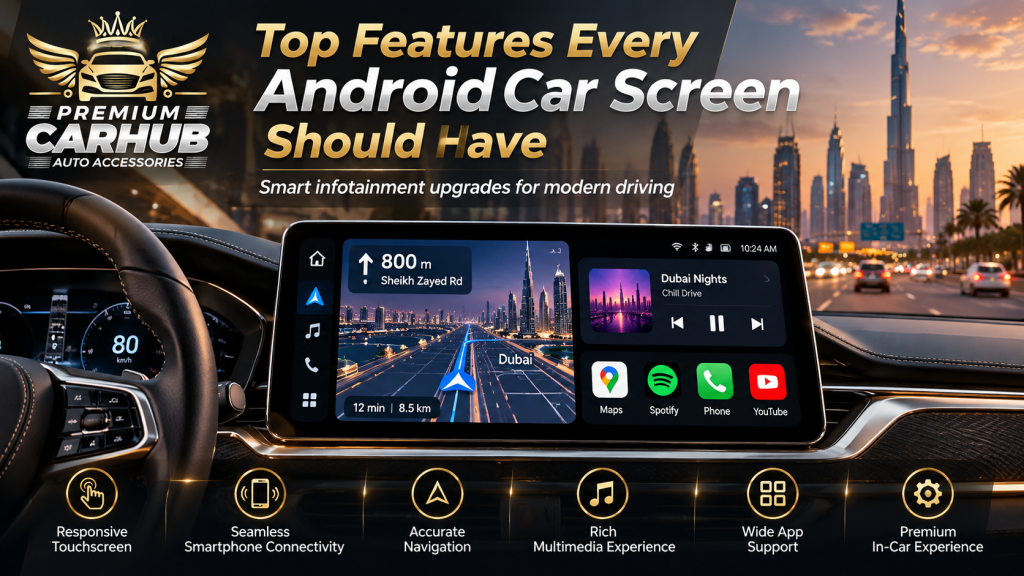
Top Features Every Android Car Screen Should Have
A modern car can still feel outdated when its dashboard technology belongs to another generation. You may have a comfortable cabin, a reliable engine and excellent road manners, yet a slow factory display, outdated navigation or poor smartphone connectivity can make everyday driving unnecessarily frustrating.
That is why upgrading to an Android Car Screen has become an increasingly practical modification for drivers who want modern technology without changing their vehicle.
However, buying a screen based only on its size is one of the easiest mistakes to make.
A good infotainment upgrade is not simply a large tablet fitted to the dashboard. It should start quickly, remain readable under Dubai sunlight, communicate correctly with factory systems, connect reliably to your phone, support cameras and steering-wheel controls, and remain stable when the cabin becomes extremely hot.
At Premium Car Hub in Dubai, technicians regularly work with infotainment upgrades across different vehicle platforms. Their experience shows that two screens that look almost identical in an online product listing can behave very differently after installation.
This guide explains the features that actually matter when choosing an Android Car Screen, particularly for vehicles used in Dubai and across the UAE.
What Is an Android Car Screen?
An Android Car Screen is an aftermarket or vehicle-specific infotainment display that runs an Android-based operating system and adds modern digital functions to a vehicle dashboard.
Depending on the unit and vehicle, it can provide:
- Google Maps and other navigation applications
- Wireless Android Auto
- Wireless Apple CarPlay
- Bluetooth calling
- Music streaming
- Wi-Fi connectivity
- 4G or SIM connectivity
- Reverse-camera display
- 360-degree camera support
- Steering-wheel control integration
- USB multimedia
- Split-screen applications
- Voice commands
- Vehicle information
- DSP audio controls
The important distinction is that not every Android-based display supports all these features equally well.
The quality of the processor, display panel, software, wiring harness and vehicle interface can have as much influence on the experience as the screen itself.
Contact Premium Car Hub for Android Car Screen
1. A Fast Processor and Sufficient RAM
Performance should be one of the first specifications you examine.
An Android Car Screen may need to handle navigation, Bluetooth, music streaming, smartphone projection and vehicle information simultaneously. A weak processor can make even a visually impressive system frustrating after a few months.
Common symptoms of insufficient performance include:
- Slow startup
- Delayed touch response
- Navigation lag
- Apps freezing
- Slow switching between functions
- Music interruptions
- Bluetooth instability
For normal modern use, Premium Car Hub technicians generally recommend choosing hardware with enough processing headroom rather than selecting the cheapest available configuration.
A system that performs smoothly today is also more likely to remain usable after software and app updates.
Why RAM matters
RAM determines how effectively the infotainment system can keep multiple applications available.
For example, imagine using Google Maps while Spotify plays in the background. You then open the reverse camera before returning to navigation.
A properly specified system should perform these transitions without repeatedly reloading applications.
2. Wireless Android Auto and Apple CarPlay
Even when purchasing an Android-based unit, smartphone projection remains extremely useful.
A quality Android Car Screen should ideally support both:
- Wireless Android Auto
- Wireless Apple CarPlay
This allows different drivers to use the vehicle without depending entirely on applications installed directly on the head unit.
Android Auto can provide access to compatible navigation, communication and media applications through a driving-focused interface. Google also applies specific driver-distraction and user-interface requirements to supported car applications.
For everyday use, wireless connectivity makes a significant difference.
Instead of plugging your phone into a cable every time you enter the vehicle, the system can reconnect automatically after startup.
Why dual compatibility matters
Consider a family vehicle where one driver uses Android and another uses an iPhone.
Installing an infotainment screen that supports only one ecosystem unnecessarily limits the vehicle.
Dual Android Auto and Apple CarPlay support makes the system far more flexible.
Contact Premium Car Hub for Android Car Screen
3. High-Resolution Display with Strong Daylight Visibility
Resolution alone does not determine display quality.
Dubai provides a perfect example of why.
A screen may look excellent inside a showroom but become difficult to read when sunlight enters the cabin.
A good Android Car Screen should provide:
- Strong brightness
- Good viewing angles
- Clear contrast
- Anti-glare performance
- Sharp text
- Accurate colours
- Automatic or convenient brightness control
Maps, reversing-camera images and interface buttons should remain easy to identify without forcing the driver to lean forward or stare at the display.
Bigger does not always mean better
A 12-inch display is not automatically superior to a well-integrated 10.25-inch display.
Screen size should suit:
- Dashboard proportions
- Driver seating position
- Air vents
- Factory controls
- Visibility
- Existing trim design
Premium Car Hub technicians generally favour a vehicle-specific installation over simply choosing the biggest display available.
Contact Premium Car Hub for Android Car Screen
4. Reliable GPS Navigation
Navigation is one of the functions most frequently used on an Android Car Screen.
A good system should support navigation services such as Google Maps and compatible alternatives while maintaining accurate GPS reception.
For UAE drivers, effective navigation is especially useful when moving between:
- Dubai
- Sharjah
- Abu Dhabi
- Ajman
- Ras Al Khaimah
- Al Ain
- Other developing residential and commercial areas
Road layouts can evolve, new developments appear and temporary diversions occur.
An internet-connected navigation application therefore has a major advantage over an old factory navigation database that has not been updated for years.
Contact Premium Car Hub for Android Car Screen
Look for fast GPS locking
Navigation should determine the vehicle’s position quickly after startup.
If the system regularly takes several minutes to locate the vehicle, there may be issues with antenna placement, receiver quality or installation.
5. Reverse-Camera and 360-Degree Camera Compatibility
A good multimedia upgrade should improve existing vehicle functions rather than remove them.
Before replacing the factory display, confirm whether the chosen Android Car Screen supports your existing:
- Reverse camera
- Front camera
- Parking sensors
- 360-degree cameras
- Dynamic parking guidelines
This is particularly important with premium vehicles where cameras may communicate through the factory infotainment network rather than through a simple video cable.
Why camera switching speed matters
When reverse gear is selected, the camera should appear almost immediately.
Waiting several seconds for the Android system to load while reversing defeats much of the convenience.
For city parking and tight basement spaces in Dubai, quick camera activation can make the system considerably more useful.
Contact Premium Car Hub for Android Car Screen
6. Factory Steering-Wheel Control Integration
One of the most overlooked features of an Android Car Screen is proper integration with physical vehicle controls.
After installation, functions such as the following should ideally continue working:
- Volume up/down
- Track selection
- Phone answering
- Voice command
- Audio-source controls
Retaining these controls is not only convenient.
It also reduces the need to interact with the touchscreen while the vehicle is moving.
Google’s own Android for Cars guidance places significant emphasis on reducing driver distraction and designing vehicle interfaces around quick, limited interactions.
Contact Premium Car Hub for Android Car Screen
7. Bluetooth Calling with a Quality Microphone
Bluetooth is standard on almost every modern infotainment screen, but Bluetooth quality varies considerably.
A good system should provide:
- Fast automatic reconnection
- Clear incoming audio
- Reliable contact synchronization
- Stable music streaming
- Good microphone quality
The microphone deserves particular attention.
Some inexpensive units have acceptable speakers but poor microphones, meaning the driver can hear the caller clearly while the person at the other end hears excessive road or air-conditioning noise.
Ask whether the Android Car Screen supports an external microphone if the built-in microphone is insufficient.
8. DSP Audio Processing
Drivers interested in sound quality should look for Digital Signal Processing, or DSP.
DSP functionality can provide substantially more control than a basic bass-and-treble menu.
Depending on the system, DSP may offer:
- Multi-band equalisation
- Time alignment
- Crossover adjustment
- Speaker-level tuning
- Subwoofer adjustment
- Sound-stage positioning
An Android Car Screen with capable audio processing can be particularly valuable when combined with upgraded speakers, amplifiers or a subwoofer.
However, having a DSP menu does not automatically mean the audio will sound better.
Proper tuning matters.
Poor equalisation can make even expensive speakers sound harsh or unbalanced.
9. Split-Screen Multitasking
Split-screen functionality is one of the most useful advantages of an Android infotainment platform.
A properly designed Android Car Screen may allow navigation to remain visible on one side while another application occupies the second portion of the screen.
For example:
Left side: Google Maps
Right side: Music playback
This reduces the need to repeatedly move between full-screen applications.
The feature becomes particularly useful on wider 10-inch, 12-inch or ultrawide displays.
The interface should still remain simple enough that information can be understood quickly.
10. Voice-Control Support
The less often a driver needs to touch the screen, the better.
Voice control can help with common actions such as:
- Starting navigation
- Calling a saved contact
- Selecting music
- Finding a destination
- Asking for route information
A properly configured Android Car Screen with Android Auto or compatible voice functions can make these tasks much more convenient.
This is more than a luxury feature.
UAE traffic rules penalise using a mobile phone while driving and being distracted while driving. Current UAE government traffic material lists an AED 800 fine and four black points for using a mobile phone while driving or being distracted by something while driving.
The safest infotainment system is therefore one that requires as little interaction as reasonably possible while the vehicle is moving.
11. Fast and Stable Startup
Imagine entering your vehicle, starting the engine and waiting 30 seconds before you can access music or the reversing camera.
That quickly becomes irritating.
A good Android Car Screen should offer either:
- Fast cold booting, or
- Effective standby/sleep functionality
Standby enables the infotainment system to wake quickly after short periods while still performing a complete shutdown when necessary.
The exact behaviour should be configured properly to avoid unnecessary battery drain.
12. Wi-Fi, Hotspot and 4G Connectivity
Connectivity determines how independent your infotainment screen can be.
An Android unit may connect through:
- Phone hotspot
- Wi-Fi
- USB tethering
- Dedicated SIM/4G module
A SIM-capable Android Car Screen can access internet services without relying on the driver’s phone hotspot.
That may be useful for people who use navigation and streaming heavily.
For most private drivers, however, phone hotspot connectivity may be entirely sufficient.
Do not pay extra for 4G functionality simply because it appears impressive on the specification sheet. Choose it when it matches your actual usage.
Android Car Screen Feature Comparison
| Feature | Basic Screen | Mid-Range Screen | Premium Screen |
|---|---|---|---|
| Touchscreen | Yes | Yes | High-resolution premium panel |
| Bluetooth | Basic | Improved | High-quality + external mic support |
| Android Auto | Sometimes wired | Usually available | Wireless |
| Apple CarPlay | Sometimes | Usually available | Wireless |
| GPS Navigation | Basic | Good | Fast GPS + connected navigation |
| Reverse Camera | Yes | Yes | Factory + 360° integration |
| Steering Controls | Limited | Usually retained | Full vehicle integration |
| DSP Audio | Basic EQ | Multi-band | Advanced DSP |
| Split Screen | Limited | Yes | Smooth multitasking |
| 4G/SIM | Rare | Optional | Often available |
| Startup Speed | Slower | Good | Fast/standby |
| Vehicle Integration | Basic | Vehicle-specific | OEM-style integration |
The best option is not automatically the model in the right-hand column.
The right system depends on the vehicle, existing factory equipment and how the owner actually uses the car.
UAE-Specific Considerations Before Installing an Android Car Screen
Dubai conditions place unusual demands on electronics.
Extreme cabin temperatures
A closed vehicle parked outdoors during UAE summer can become extremely hot.
The screen, processor, cables, adhesives and internal electronics should therefore be suitable for automotive environments.
A cheap consumer-grade display may perform well initially but become unstable after repeated heat cycles.
Common heat-related symptoms can include:
- Random restarting
- Touchscreen problems
- Display discolouration
- Slow performance
- Adhesive failure
Quality hardware and proper ventilation matter.
Strong sunlight
Brightness is especially important in the UAE.
Test visibility during daylight rather than judging the display only indoors.
Dust
Dubai’s dusty environment makes exposed USB ports, loose connections and poor dashboard fit undesirable.
A vehicle-specific fascia with a clean installation helps protect wiring while maintaining the original appearance.
Driver distraction
Entertainment should never become the primary purpose of the screen while driving.
Google’s current automotive guidance restricts video, browser and game experiences while driving and emphasises interfaces designed to minimise distraction.
Drivers should set destinations, playlists and complicated settings before moving whenever possible.
Pros and Cons of Installing an Android Car Screen
Advantages
Modernises an older vehicle
An infotainment upgrade can make a ten-year-old interior feel considerably more current.
Better navigation
Google Maps and other connected services can replace outdated built-in navigation.
Wireless smartphone integration
Modern systems support Android Auto and Apple CarPlay without permanently connecting a cable.
Better camera visibility
A larger, sharper screen can improve reverse- and 360-camera usability.
Entertainment flexibility
Music, podcasts and compatible streaming services become easier to access.
Audio tuning
DSP-equipped systems can improve control over upgraded sound systems.
Potential disadvantages
Cheap units may lag
Low-cost hardware can become frustrating very quickly.
Poor installations can affect factory functions
Incorrect wiring may interfere with cameras, steering controls, parking sensors or vehicle settings.
Excessive screen size can look aftermarket
A screen that does not match the dashboard can reduce rather than improve the cabin’s appearance.
More applications can create distraction
The presence of dozens of applications does not mean they should be used while driving.
Compatibility varies
BMW, Mercedes-Benz, Audi, Lexus, Toyota, Nissan and other manufacturers use different electronic architectures.
Vehicle-specific testing is essential.
Technician Recommendations from Premium Car Hub
Based on the types of infotainment upgrades handled at Premium Car Hub, technicians recommend considering the vehicle as a complete system rather than treating the screen as an isolated accessory.
1. Check factory features before purchasing
List everything the existing display currently controls.
This could include:
- Cameras
- Parking sensors
- Climate information
- Drive modes
- Vehicle settings
- Factory amplifier
- Steering controls
Your replacement system should retain the functions that matter.
2. Prioritise processor quality over screen size
A responsive 10.25-inch Android Car Screen is generally more enjoyable to use than a slow 13-inch system.
3. Ask for vehicle-specific integration
Proper CAN-bus integration and correct wiring harnesses can preserve factory behaviour without unnecessary wire cutting.
4. Test wireless connectivity
Connect both Android Auto and Apple CarPlay before considering the job complete.
5. Test every camera
Reverse gear, front-camera activation and 360-degree views should all be checked.
6. Tune the audio after installation
Do not assume factory equaliser settings are ideal for the new system.
7. Check daylight visibility
A screen that looks bright inside a workshop should also remain readable outdoors.
8. Keep the interface simple
Place navigation, calls and music where they are easy to access. Avoid filling the home screen with apps you rarely use.
Useful Premium Car Hub Guides for Your Interior Upgrade
Drivers considering an infotainment upgrade may also find these Premium Car Hub resources useful:
Why Upgrade to an Android Screen for Your Car?
https://premiumcarhub.com/blogs/2026/09/22/android-screen-for-your-car/
This guide explains why infotainment upgrades can make older vehicles more practical for everyday driving.
Best Car Android Screen Upgrade for Toyota, Nissan & BMW
https://premiumcarhub.com/blogs/2026/08/17/best-car-android-screen-upgrade/
Useful if you are comparing vehicle-specific installation requirements.
Car Interior Modification Ideas in Dubai
https://premiumcarhub.com/blogs/2026/09/08/car-interior-modification-dubai/
Explore how screens, upholstery, lighting and other interior upgrades can work together.
Car Ambient Lighting Installation in Dubai
https://premiumcarhub.com/services/car-ambient-lights/
A useful option for drivers planning to combine modern infotainment with factory-inspired interior lighting.
Trusted Resources for Safer Connected Driving
For additional technical and road-safety information, these authoritative resources are useful:
Google Android Auto Help
https://support.google.com/androidauto/
Google’s official resource for Android Auto compatibility, setup and wireless connectivity.
Android Developers – Car App Quality Guidelines
https://developer.android.com/docs/quality-guidelines/car-app-quality
Explains Google’s performance, usability and driver-distraction requirements for applications designed for vehicles.
Android for Cars – Distraction Safeguards
https://developer.android.com/training/cars/media/distraction-safeguards
Technical guidance explaining how Android automotive experiences are designed to reduce unnecessary distraction.
Official UAE Government Portal
https://u.ae/
Provides UAE traffic regulations and official road-safety information.
Frequently Asked Questions
1. What is the best Android Car Screen for my vehicle?
There is no universal best model. The correct choice depends on your dashboard design, factory infotainment system, cameras, amplifier, steering controls and available space. A vehicle-specific unit with sufficient processor performance and RAM is generally preferable to a generic oversized screen.
2. Can an Android Car Screen use Google Maps?
Yes. Most quality Android systems can run Google Maps directly when connected to the internet. You can also use Google Maps through Android Auto or Apple CarPlay, depending on your smartphone.
3. Can I get wireless Apple CarPlay on an Android screen?
Yes. Many current systems support both wireless Apple CarPlay and wireless Android Auto. Compatibility should always be confirmed before installation rather than assumed from the appearance of the unit.
4. Will installing a new screen affect my reverse camera?
It depends on the vehicle and installation. A properly matched unit can usually retain the original camera, but some vehicles require specific adapters or CAN-bus interfaces. This should be checked before removing the factory system.
5. Can steering-wheel buttons work with an Android Car Screen?
In many vehicles, yes. Correct integration can retain volume, track, calling and other steering-wheel controls. Compatibility varies by vehicle.
6. How much RAM should an Android car system have?
Requirements depend on the operating system and applications, but more memory generally improves multitasking. Rather than buying based solely on a RAM number, consider processor quality, software optimisation and actual responsiveness as well.
7. Does an Android screen require internet all the time?
No. Bluetooth, local music, cameras and many vehicle functions can work without internet. Connected navigation, streaming and other online services require Wi-Fi, a phone hotspot or an available SIM/4G connection.
8. Can I watch YouTube or videos on an Android Car Screen?
Android-based hardware may technically support video applications, but video viewing should be limited to situations where the vehicle is safely parked. Driver-focused Android platforms impose restrictions on video and other distracting content while driving.
9. Will an Android screen survive Dubai’s summer heat?
A properly engineered automotive system should be designed for higher operating temperatures, but product quality varies significantly. Heat tolerance is one reason to avoid choosing a unit solely because it is inexpensive or has the largest display.
10. Is professional Android screen installation worth it?
Professional installation is particularly valuable in vehicles with factory cameras, premium sound systems, CAN-bus controls, parking sensors or complex dashboards. Correct installation is about preserving existing functionality as much as adding new features.
Conclusion
Choosing an Android Car Screen should involve much more than comparing screen sizes.
A useful infotainment upgrade should disappear into your daily routine. Navigation should launch quickly. Your phone should connect automatically. Steering buttons should continue working. Cameras should appear instantly. Calls should sound clear, and the display should remain readable when Dubai sunlight fills the cabin.
Processor performance, wireless Android Auto and Apple CarPlay, GPS accuracy, camera integration, DSP audio, steering-wheel compatibility, voice control and heat resistance are therefore more important than flashy specifications that rarely improve everyday driving.
For UAE motorists, hardware quality becomes even more important because the system must operate reliably through high temperatures, strong sunlight and frequent daily use.
Premium Car Hub technicians recommend evaluating the vehicle first and choosing the infotainment equipment second. A properly matched Android Car Screen should preserve the functions your vehicle already performs well while adding the connectivity and convenience missing from its original dashboard.
When that balance is achieved, the upgrade does not feel like an aftermarket tablet added to the vehicle.
It feels like technology the car should have had from the factory.
Contact Premium Car Hub
For Android screen upgrades, infotainment installation and other vehicle customisation services in Dubai, contact Premium Car Hub.
Premium Car Hub
Location: 20th St – Al Khabaisi – Dubai, United Arab Emirates
Phone: +971 4 570 0353
Email: info@premiumcarhub.com
Website: https://premiumcarhub.com/