
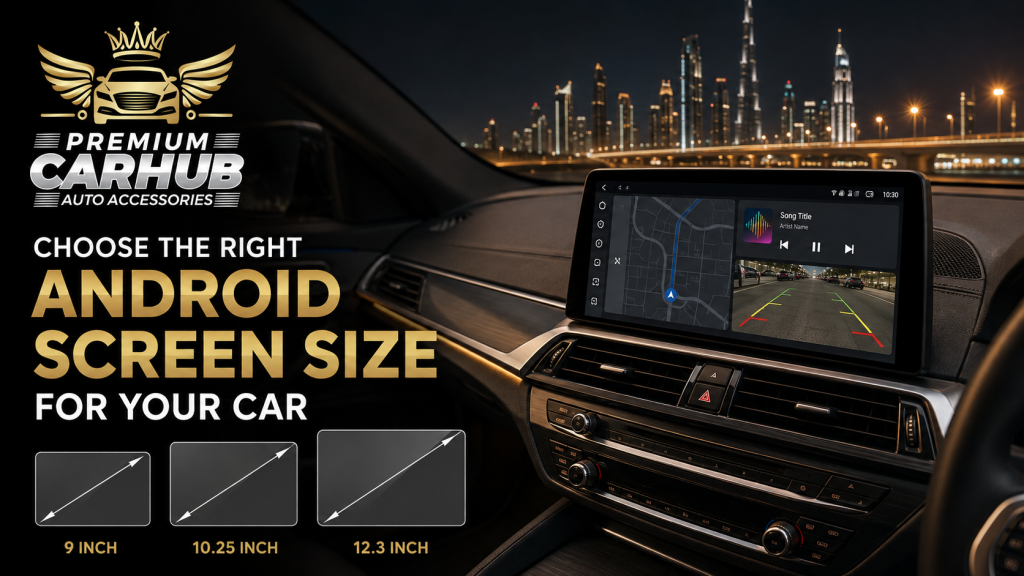
How to Choose the Right Android Screen Size for Your Car
A larger display can make an older vehicle feel modern, improve navigation visibility and reduce dependence on a phone holder. But the biggest Android Screen that physically fits your dashboard is not automatically the best choice.
Screen size affects much more than appearance. It changes viewing distance, touch accuracy, glare, dashboard balance, access to physical controls and the amount of time your eyes may remain away from the road. A 14.9-inch floating display can look appropriate in a large SUV but appear intrusive in a compact sedan. A 9-inch unit may be ideal for one driver yet too small for another who relies heavily on navigation.
Choosing correctly requires a vehicle-specific assessment rather than a simple “bigger is better” decision.
Premium Car Hub technicians recommend evaluating the dashboard opening, seating position, factory electronics, camera system and everyday driving habits before selecting an Android Screen. This guide explains that process in practical detail, including size comparisons, UAE-specific considerations and common installation mistakes.
Contact Premium Car Hub for Car Android Screen installation
Why Android Screen Size Matters
The size of an infotainment display influences three important areas: usability, safety and interior design.
A small display may require the driver to concentrate longer to read street names or select an on-screen control. An excessively large display can create glare, block air vents or place important areas beyond comfortable reach. The correct size provides enough viewing space while remaining visually and physically integrated with the dashboard.
Consider two drivers:
- Driver A uses a Nissan Patrol for long UAE journeys, navigation, off-road trips and parking in crowded areas.
- Driver B uses a compact Toyota sedan for short daily travel between home and work.
The Patrol driver may benefit from a wide 12.3- or 14-inch unit with split-screen navigation and camera views. The sedan driver may find a well-positioned 9- or 10.1-inch unit easier to reach and more consistent with the dashboard.
The ideal Android Screen is therefore the one that matches the vehicle and user—not simply the one with the largest measurement.
Contact Premium Car Hub for Car Android Screen installation
How Car Screen Sizes Are Measured
Infotainment displays are measured diagonally from one visible corner to the opposite corner, just like televisions and laptops. A 10.1-inch designation does not mean the display is 10.1 inches wide.
The physical width depends on the aspect ratio. Two units carrying the same diagonal measurement can have different widths and heights.
Common aftermarket sizes include:
- 7 inches
- 8 or 8.8 inches
- 9 inches
- 10.1 or 10.25 inches
- 11.8 or 12.3 inches
- 13 inches
- 14.9 inches and above
The dimensions of the casing, bezel and mounting frame also matter. A listed 10.25-inch display may need considerably more dashboard space once its frame and vehicle-specific fascia are included.
Always ask for the complete unit dimensions and proposed mounting position. Do not choose an Android Screen using its diagonal measurement alone.
Android Screen Size Comparison
| Screen size | Best suited for | Main advantages | Possible limitations |
|---|---|---|---|
| 7–8 inches | Older cars, compact dashboards and basic multimedia use | Discreet, easy to reach and often preserves an OEM appearance | Limited split-screen space and smaller camera view |
| 9 inches | Compact sedans, hatchbacks and straightforward upgrades | Good balance between visibility and dashboard fit | May feel small in a large SUV or wide dashboard |
| 10.1–10.25 inches | Most sedans, crossovers and medium SUVs | Comfortable navigation, modern appearance and broad compatibility | Requires proper fascia and may affect nearby controls |
| 11.8–12.3 inches | Premium sedans, SUVs and wide dashboard layouts | Strong split-screen usability and larger camera display | More potential for glare and control obstruction |
| 13–14.9 inches | Large SUVs and custom floating-screen installations | High visual impact, spacious interface and detailed multi-camera views | Can look oversized, cost more and demand careful mounting |
| Above 15 inches | Specialist custom interiors and selected luxury vehicles | Maximum display area and distinctive cabin design | Rarely necessary for ordinary driving; integration is complex |
Understanding Each Size Category
7- to 9-Inch Screens
A 7- to 9-inch Android Screen works well when the original dashboard has a limited radio opening or when the owner wants a subtle upgrade.
This range is suitable for drivers who mainly use:
- Bluetooth calling;
- music streaming;
- basic Google Maps navigation;
- a single reverse-camera feed;
- wired or wireless Android Auto;
- Apple CarPlay.
A compact unit can be safer ergonomically when it remains close to the driver’s natural reach. It may also preserve physical buttons for temperature, volume and hazard controls.
The limitation is usable space. Map labels, split-screen panels and 360-degree camera views can feel crowded. If the display has a low resolution, text may appear less sharp than it would on a better 9-inch model.
10.1- to 10.25-Inch Screens
For many vehicles, the 10-inch category offers the best overall balance.
A 10.1- or 10.25-inch Android Screen is large enough for clear navigation and media controls but usually compact enough to integrate neatly into a sedan, crossover or medium SUV.
This category suits owners who want a modern upgrade without making the dashboard look heavily modified. It is especially practical when a vehicle-specific fascia is available, allowing the display to align with the factory trim.
However, screen quality remains more important than the number printed on the box. A responsive 10.25-inch IPS or QLED panel with adequate brightness can provide a better experience than a larger display with poor viewing angles and slow hardware.
Contact Premium Car Hub for Car Android Screen installation
11.8- to 12.3-Inch Screens
A 12.3-inch Android Screen suits wide dashboards, premium vehicles and drivers who use multiple functions simultaneously.
For example, one side can display navigation while the other shows music, tyre-pressure data or vehicle information. The larger surface can also make a 360-degree camera system easier to interpret.
Before choosing this size, confirm that it does not:
- cover the centre air vents;
- obstruct the hazard-light button;
- extend into the windscreen sightline;
- interfere with climate controls;
- require an uncomfortable reach;
- look visually disconnected from the dashboard.
In vehicles with complex factory infotainment systems, the installer must also verify whether original menus and vehicle settings will remain accessible.
13- to 14.9-Inch Screens
Large portrait or floating displays can transform the appearance of a spacious SUV. They can be useful for detailed maps, camera systems, media browsing and off-road information.
Yet this category demands more careful planning. A large Android Screen produces a greater reflective surface, which matters under intense UAE sunlight. It can also increase the distance between frequently used controls if the interface has not been designed well.
Large units are best selected for a clear functional reason. If the purpose is only to make the interior look more expensive, a smaller high-quality display integrated properly may create a more convincing premium result.
Seven Factors to Check Before Selecting a Size
1. Dashboard Architecture
Begin with the dashboard, not the product catalogue.
The installer should inspect the radio opening, surrounding trim, air vents, climate panel, hazard switch and storage areas. Some cars accept a flush display, while others require a floating or tablet-style design.
A vehicle-specific frame usually looks better than a universal frame with uneven gaps. It can also reduce vibrations and help the unit remain secure on rough roads.
2. Driver’s Eye Position and Viewing Distance
A display should be visible with a short glance rather than requiring the driver to look far down or turn significantly.
SUV drivers usually sit farther from the centre console than drivers in compact cars. This can justify a larger display. However, the screen should not sit so high that it enters the forward field of vision.
Before installation, sit in your normal driving position. Ask the technician to mark or temporarily position the proposed display outline. Check whether the far edge is readable and reachable without leaning forward.
Contact Premium Car Hub for Car Android Screen installation
3. Touchscreen Reach
Visibility and reach are different measurements.
A 12-inch display may be easy to read but difficult to touch if the dashboard is deep. The most frequently used controls should fall within a comfortable hand movement while the driver remains supported by the seat.
If the screen is large, confirm that steering-wheel controls, a rotary controller or dependable voice commands remain available. Google advises completing the first Android Auto setup while the car is parked and reminds drivers to pay attention to road conditions.
4. Resolution and Pixel Density
A larger display needs a suitable resolution. Stretching the same low-resolution image across a bigger panel can make icons, text and camera feeds appear soft.
As a practical guide:
- Smaller displays can perform acceptably at modest resolutions.
- A 10-inch display should provide sharp text and clear map details.
- A 12-inch or larger display benefits from higher resolution and a capable graphics processor.
Do not evaluate an Android Screen using a static promotional image. Open navigation, test the reverse camera, scroll through menus and inspect text from the driver’s seat.
5. Processor, RAM and Storage
Screen size has no direct relationship with speed.
A visually impressive unit can still respond slowly if it has weak internal hardware. Delayed touch response becomes frustrating when changing a route, answering a call or switching camera views.
For regular navigation, wireless connectivity and multitasking, Premium Car Hub technicians recommend prioritising a stable processor, adequate RAM, appropriate storage and reliable software support. Ask for exact specifications instead of descriptions such as “latest,” “fast” or “high performance.”
6. Factory-System Compatibility
Modern cars use integrated networks for audio, cameras, parking sensors, climate information and steering-wheel commands. Replacing the factory display without the correct interface can remove features the owner expected to retain.
Before selecting an Android Screen, confirm compatibility with:
- steering-wheel controls;
- factory amplifier;
- OEM reverse or 360-degree cameras;
- parking-sensor graphics;
- climate-control display;
- vehicle settings;
- USB ports;
- microphones;
- factory menus;
- CAN bus communication.
BMW, Mercedes-Benz, Audi, Lexus, Range Rover, Nissan and Toyota models can require very different installation methods even when the proposed display sizes are similar.
7. Brightness, Glare and Heat Resistance
Dubai sunlight can expose weaknesses that are not obvious inside a showroom.
The display needs sufficient brightness, effective anti-glare treatment and usable viewing angles. If it becomes difficult to read around midday, its size offers little benefit.
The unit, adhesive, fascia, wiring and mounting system must also tolerate repeated cabin heat cycles. A parked car can become extremely hot, particularly during summer. Automotive-grade components and professional mounting are more important than decorative specifications.
Contact Premium Car Hub for Car Android Screen installation
UAE-Specific Driving Considerations
Strong Sunlight and Reflections
A bigger screen creates a larger surface for reflections. Glossy displays may reflect light-coloured clothing, windows or bright cabin trim.
Ask to see the Android Screen at different brightness levels. Automatic brightness adjustment is useful, but it must respond smoothly rather than repeatedly dimming and brightening.
The mounting angle matters as much as the screen coating. A slight change in tilt can reduce windscreen and side-window reflections.
Navigation Through Complex Road Networks
Dubai interchanges, service roads and multi-lane exits can require early route information. A medium or large display makes lane guidance and upcoming turns easier to understand, provided the map remains uncluttered.
Drivers who frequently travel between Dubai, Sharjah and Abu Dhabi may appreciate a 10.25- or 12.3-inch unit. The display should support stable GPS reception, dependable mobile data and clear voice instructions so the driver is not constantly looking at the map.
Contact Premium Car Hub for Car Android Screen installation
Distracted-Driving Risk
A large touchscreen should reduce effort, not encourage more interaction.
The UAE Government’s road-safety guidance stresses safe road behaviour and compliance with traffic laws. Drivers should set destinations, playlists and preferences before moving.
Useful safety features include:
- steering-wheel controls;
- voice commands;
- large interface buttons;
- automatic day and night modes;
- simplified home screens;
- fast connection to the driver’s phone;
- physical volume or shortcut controls.
The best Android Screen is not the one offering the most on-screen distractions. It is the one that lets the driver complete essential tasks with minimal visual attention.
Dust, Sand and Frequent Air-Conditioning
Fine dust can collect around poorly fitted frames. Repeated cooling after high-temperature parking can also stress low-quality displays and wiring connections.
A properly fitted fascia, secure connectors and careful cable routing reduce these risks. Avoid installations with visible gaps or loose floating mounts.
Contact Premium Car Hub for Car Android Screen installation
Pros and Cons of Larger Android Screens
Advantages
- Navigation maps and lane guidance are easier to read.
- Reverse and 360-degree camera images appear larger.
- Split-screen layouts become more practical.
- Touch targets can be larger and easier to select.
- The dashboard gains a more modern appearance.
- Media and vehicle information can be displayed simultaneously.
Disadvantages
- More surface area can create glare.
- The display may cover vents or controls.
- The far side may be difficult to reach.
- Large units can look aftermarket if the trim is poorly matched.
- Higher-resolution screens require capable hardware.
- More visible content may increase driver distraction.
- Installation and vehicle integration can cost more.
OEM-Style Versus Floating Android Screens
An OEM-style unit is designed to fit inside a vehicle-specific frame. It normally produces a cleaner appearance and may place the display close to the original controls.
A floating Android Screen extends beyond the radio opening and may allow a larger display without major dashboard modification. This approach can work well when the factory opening is small but surrounding space is available.
| Feature | OEM-style installation | Floating-screen installation |
|---|---|---|
| Appearance | Usually more factory-like | More visibly modern or customised |
| Screen-size flexibility | Limited by dashboard structure | Can support a larger display |
| Vent obstruction risk | Usually lower when correctly designed | Must be checked carefully |
| Adjustability | Normally fixed | Some mounts permit angle adjustment |
| Best use | Owners wanting subtle integration | Vehicles needing a larger display without full dashboard reconstruction |
Neither format is universally better. The decision depends on the vehicle’s architecture and the owner’s visual preference.
Premium Car Hub Technicians’ Expert Recommendations
Choose by Use Case, Not Status
If you mainly need music, calls and a reverse camera, a responsive 9- or 10.1-inch system may be sufficient. If you rely on split-screen navigation, 360-degree cameras and vehicle data, a 12.3-inch display may add meaningful value.
Test the Driving Position Before Installation
Premium Car Hub technicians recommend checking the proposed outline from the driver’s actual seating position. Confirm visibility, reach, vent clearance and windscreen sightline before the dashboard is disassembled.
Protect Factory Functions
A screen upgrade should not unnecessarily remove the factory amplifier, camera, parking graphics or steering-wheel controls. Request a written list of the functions that will be retained, replaced or altered.
Spend on Display and Hardware Quality
A high-quality 10.25-inch Android Screen generally delivers a better long-term experience than a cheap 14-inch unit. Prioritise panel clarity, brightness, responsiveness, RAM, processor performance, audio integration and technical support.
Coordinate the Screen With Other Upgrades
If you plan to install cameras, a DSP audio system or ambient lighting, design these upgrades together. This avoids repeating trim removal and helps the screen act as the central control point.
Related Premium Car Hub Guides
Learn why connectivity, navigation and vehicle integration matter in Why Upgrade to an Android Screen for Your Car?.
Compare vehicle-specific upgrade requirements for Toyota, Nissan and BMW in the Best Car Android Screen Upgrade guide.
Understand how the source unit affects speakers, amplifiers and sound tuning in DSP Car Audio Tuning Explained.
For a coordinated cabin transformation, explore Luxury Car Interior Upgrades in Dubai.
Trusted Resources for Connectivity and Driving Safety
- Android Auto vehicle compatibility helps owners confirm whether their car or stereo supports the platform.
- Google’s Android Auto setup guide explains wired and wireless connection requirements.
- UAE Government road-safety information provides official guidance on safe driving and traffic compliance.
- NHTSA distracted-driving guidance explains why visual, manual and cognitive distractions must be controlled.
Frequently Asked Questions
1. What is the best Android Screen size for most cars?
A 10.1- or 10.25-inch display provides a practical balance for many sedans, crossovers and medium SUVs. The correct choice still depends on dashboard space, viewing distance and control placement.
2. Is a 9-inch screen too small for navigation?
No. A good-quality 9-inch display can provide clear navigation in a compact car. Resolution, brightness, mounting height and interface design matter as much as diagonal size.
3. Is a 12.3-inch screen suitable for a sedan?
It can be suitable when the dashboard is wide enough and the display does not block vents, controls or the road view. A physical fit test should be completed before installation.
4. Can I install a 14.9-inch screen in any car?
Not responsibly. A large Android Screen requires sufficient dashboard space, safe sightlines, comfortable reach and compatible mounting. It is better suited to certain SUVs and custom installations.
5. Will changing the screen affect steering-wheel controls?
It may if the correct interface is not used. A vehicle-specific system and compatible CAN bus module can often preserve controls, but support should be confirmed for the exact make, model, trim and production year.
6. Does a bigger screen improve reverse-camera quality?
It makes the image larger but cannot repair a low-resolution camera signal. For better clarity, both the camera and display must offer suitable resolution, image processing and low-light performance.
7. What specifications should I check besides screen size?
Check resolution, brightness, panel type, viewing angle, processor, RAM, storage, wireless Android Auto, Apple CarPlay, GPS, audio compatibility, camera inputs and warranty support.
8. Can an Android Screen retain my factory car settings?
Some vehicle-specific systems retain factory menus and settings, while universal units may not. The installer should test climate information, audio, cameras, parking sensors and vehicle settings before completing the work.
9. Is a portrait or landscape screen better?
Landscape displays often suit maps, media and traditional dashboard designs. Portrait units offer more vertical map space and a distinctive appearance. The best orientation depends on dashboard proportions and interface design.
10. How can I reduce screen glare in Dubai?
Choose a bright panel with anti-glare treatment, position it away from direct reflections, use automatic brightness and avoid mounting angles that reflect the windscreen or side windows. A matte protective film may help if it does not reduce clarity.
Conclusion: Choose the Screen That Fits the Car and the Driver
The right Android Screen should feel like a natural part of the vehicle. It must be easy to see, comfortable to reach, bright enough for UAE sunlight and capable of retaining the factory functions you use every day.
For compact vehicles, 9 to 10.1 inches is often sufficient. A 10.25-inch unit suits a broad range of sedans and crossovers. Larger SUVs may benefit from a 12.3-inch or carefully installed 14.9-inch display, particularly when navigation, split-screen functions and multi-camera systems are priorities.
Do not make the final decision from product photos. Assess the screen inside your car, from your driving position, under realistic lighting. Confirm hardware specifications, vehicle compatibility, control retention and installation quality.
A properly selected Android Screen improves the driving experience quietly: the map is easier to understand, the camera is clearer, the phone connects quickly and the dashboard still feels balanced. That is a more valuable upgrade than size alone.
Contact Premium Car Hub
Premium Car Hub
Location: 20th St – Al Khabaisi, Dubai, United Arab Emirates
Phone: +971 4 570 0353
Email: info@premiumcarhub.com
Website: https://premiumcarhub.com/