
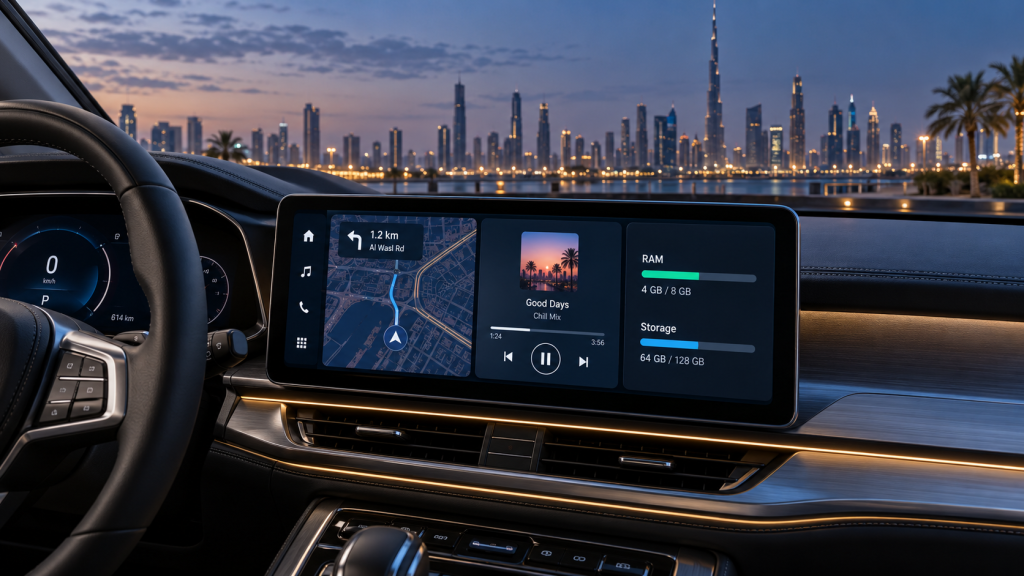
Android Car Screen RAM and Storage: What Do You Actually Need?
An Android Car Screen advertised with 8GB RAM and 256GB storage sounds automatically better than one with 4GB and 64GB. In practice, those numbers tell only part of the story.
A well-engineered 4GB unit with a recent processor, fast internal storage and stable software can feel quicker than an inexpensive “8GB” model built around an old chipset. The better buying question is not, “What is the biggest number?” It is, “What hardware fits the way I drive?”
That distinction matters in the UAE. A screen may spend an hour running Google Maps, streaming audio and handling calls on Sheikh Zayed Road, then sit in a parked cabin exposed to punishing summer heat. Smooth performance must last beyond a five-minute showroom demonstration.
This guide explains how RAM, storage speed, processor choice, heat management and phone projection work together—and provides practical specifications for real drivers.
Contact Premium Car Hub for Android Car Screen Installation
First, know which type of system you are buying
People often use Android Car Screen, Android Auto and Android Automotive as though they mean the same thing. They do not.
- Native Android head unit: The display runs Android itself and installs apps directly. Its RAM, processor and internal storage strongly affect performance.
- Android Auto or Apple CarPlay interface: Your phone runs most applications and projects a driving-friendly interface to the car. The interface module still needs reliable hardware, but 8GB of head-unit RAM brings little benefit.
- Android Automotive OS: This is a vehicle-integrated operating system supplied with certain cars. It is not the same as an aftermarket screen or Android Auto.
If your main goal is wireless Google Maps, calls and Spotify from your phone, an OEM-style projection retrofit may be cleaner than a full Android Car Screen.
If you want offline maps, native applications, split-screen use, downloadable media or a 4G/5G SIM in the dashboard, the head unit’s own RAM and storage become decisive.
Contact Premium Car Hub for Android Car Screen Installation
What RAM actually does in an Android head unit
RAM is the temporary workspace used by the operating system and active applications. It determines how comfortably an Android Car Screen can keep navigation, music, Bluetooth services, the launcher and camera software ready at the same time.
More RAM reduces application reloads and makes switching smoother, but it does not compensate for a weak processor or poorly optimized firmware.
Android also manages memory dynamically. Background processes may be cached and removed when that memory is needed elsewhere. Google’s Android memory documentation explains why unused RAM is not necessarily better.
Contact Premium Car Hub for Android Car Screen Installation
A screen showing 70% memory use is therefore not automatically defective. The warning signs that matter are:
- Delayed touchscreen responses
- Navigation closing when the reverse camera opens
- Interrupted audio
- Apps repeatedly restarting
- The launcher reloading after simple tasks
- Long delays when switching between navigation and music
Is 2GB RAM enough?
Only for basic, tightly controlled use.
A 2GB Android Car Screen can handle radio, Bluetooth and one lightweight navigation application, but little headroom remains after Android and manufacturer services have loaded.
It may be acceptable for a secondary vehicle or a system used almost exclusively for Android Auto or Apple CarPlay projection. It is a poor long-term choice if you intend to install and run apps on the unit itself.
Software updates generally become heavier, not lighter. A configuration that feels merely adequate today may become frustrating after later app and operating-system updates.
Contact Premium Car Hub for Android Car Screen Installation
Is 4GB RAM the sweet spot?
For most UAE motorists, yes.
A genuine 4GB unit paired with a capable, relatively recent processor provides enough memory for Maps or Waze, streaming audio, calls, parking-camera integration and occasional split-screen operation.
It is the sensible value tier for an everyday Android Car Screen, especially when most entertainment comes from a connected phone.
The processor qualification matters. Four gigabytes of RAM cannot deliver fluid performance if the unit uses a dated chipset, slow internal storage or poorly developed software.
When do 6GB or 8GB make sense?
Choose 6GB when you regularly multitask, use native navigation and streaming apps together, or want more performance margin over several years.
An 8GB Android Car Screen suits power users running multiple native applications, high-resolution displays, dash-camera software or demanding custom launchers.
Above 8GB, the practical benefit inside a car is usually small. Processor speed, thermal design, storage performance and firmware quality become much more important.
Contact Premium Car Hub for Android Car Screen Installation
Storage capacity is only half the story
Storage holds Android, installed applications, offline map regions, downloaded music, system updates and temporary files.
A nominal 64GB is never fully available to the driver. The operating system, recovery partition and preinstalled software consume part of it. Leaving approximately 15–20% of the storage free also gives applications, updates and cache operations room to work properly.
Capacity should not be confused with speed.
Two units can both advertise 128GB, yet the Android Car Screen using faster flash storage may boot, update and open applications noticeably sooner.
Manufacturers do not always disclose the flash-storage standard. This makes a practical demonstration valuable. Cold-start the unit, open Maps, switch to music, return to the launcher and search within a large offline map.
That short test exposes slow storage more effectively than scrolling through the specifications menu.
Contact Premium Car Hub for Android Car Screen Installation
How much storage do most drivers need?
- 32GB: The bare minimum for projection-focused use and very few native applications. It provides limited room for future updates.
- 64GB: The best-value choice for most drivers. It accommodates essential apps, a UAE or GCC offline map package and a moderate amount of downloaded audio.
- 128GB: Ideal for people who use native applications, store large offline map areas, download music or intend to keep the system for several years.
- 256GB: Useful primarily for extensive offline media libraries or specialist applications. It does not make the interface faster by itself.
Contact Premium Car Hub for Android Car Screen Installation
RAM and storage comparison
| Configuration | Best for | What to expect | Verdict |
|---|---|---|---|
| 2GB/32GB | Radio, Bluetooth and phone projection | Limited multitasking and little update space | Consider only for basic use |
| 4GB/64GB | Maps, music, calls and cameras | Good daily performance with a modern chipset | Best-value choice |
| 6GB/128GB | Frequent split-screen and native apps | Comfortable headroom and a longer useful life | Best all-round upgrade |
| 8GB/128GB | Power users and high-resolution systems | Strong multitasking if cooling and software are good | Premium practical tier |
| 8GB/256GB or more | Large offline media libraries | Extra capacity with little speed gain over 128GB | Specialist rather than essential |
Why bigger numbers can still feel slow
RAM capacity is easy to market, so it often distracts buyers from the components that create responsiveness.
Before choosing an Android Car Screen, ask for the processor model not merely whether it is “octa-core.” Core count alone reveals little about the processor’s architecture, clock behavior or graphics performance.
Contact Premium Car Hub for Android Car Screen Installation
Confirm the Android version from the system menu as well. Modified firmware can sometimes present version information that does not accurately reflect the underlying operating system.
Ask whether the advertised memory is physical RAM or includes “virtual RAM.” Virtual memory borrows part of the internal storage. It can reduce crashes when physical memory is under pressure, but it does not perform like genuine RAM.
Display resolution also affects performance. A glossy 2K panel demands more graphics processing than a lower-resolution screen. Resolution, chipset and RAM should therefore be balanced rather than purchased independently.
Contact Premium Car Hub for Android Car Screen Installation
Try the camera interruption test
A useful workshop check is what Premium Car Hub technicians call a practical camera interruption test:
- Start navigation.
- Play music or a podcast.
- Select reverse and wait for the camera.
- Return to drive.
- Immediately switch between navigation, audio and the home screen.
A properly integrated Android Car Screen should restore audio, navigation and factory controls without a long pause or complete application reload.
This test reproduces normal daily use much better than exploring an idle settings menu.
Contact Premium Car Hub for Android Car Screen Installation
UAE-specific driving and climate considerations
Heat changes the performance equation
A parked Dubai cabin can become significantly hotter than the outside temperature. An Android Car Screen may reduce its processor speed to control heat, producing lag even when plenty of RAM is available.
Installation depth, dashboard ventilation, screen placement and component quality therefore matter. A windscreen shade and covered parking can help, but buyers should still select equipment engineered for automotive temperature cycles—not what is effectively a consumer tablet board placed behind a dashboard bezel.
Thermal throttling also explains why a display may feel fast in an air-conditioned workshop but slow after the car has been parked outside.
When assessing a unit, ask about its operating-temperature range, cooling design and warranty coverage for heat-related problems.
Navigation must survive weak data coverage
Live traffic information is valuable in Dubai, Abu Dhabi and Sharjah, but offline maps remain useful for desert routes, mountain drives and longer trips between emirates.
A 64GB or 128GB Android Car Screen provides enough reserve for GCC map downloads without forcing the owner to delete files constantly.
If the screen includes a SIM slot, confirm that it supports the required UAE network bands. Antenna placement also matters. An impressive mobile-data specification means little if the antenna is buried behind interference-producing dashboard components.
Distraction matters more than screen size
Set destinations and playlists before moving. Use steering-wheel buttons or voice control where possible, and never treat the dashboard as a video player while driving.
The UAE’s official traffic-violation schedule lists an AED 800 fine and four black points for distraction caused by phone use or other activities while driving. Drivers can consult the official UAE traffic violations table and the government’s broader road-safety guidance.
A responsive infotainment system can reduce frustration, but safe behavior remains the responsibility of the driver.
Pros and cons of choosing more RAM and storage
Pros
- Smoother switching between navigation, audio and calling apps
- Fewer application reloads after using the reverse camera
- More room for offline maps, updates and downloaded media
- Better performance headroom as applications evolve
- Improved support for split-screen use
- Greater flexibility for native dash-camera applications
- Less frequent storage management
Cons
- A higher price does not guarantee faster performance
- Marketing may combine physical and virtual RAM
- Large storage figures can conceal a weak processor
- Slow flash memory can make a high-capacity unit feel sluggish
- Powerful hardware may throttle in a poorly ventilated dashboard
- Extra storage is wasted when the system is used only for phone projection
- Replacement parts and firmware support may matter more than memory capacity
Expert recommendations from Premium Car Hub technicians
Premium Car Hub technicians recommend assessing the complete system rather than choosing an Android Car Screen from its RAM figure alone.
For normal daily driving, their practical baseline is 4GB RAM and 64GB storage with a current, properly supported chipset. This configuration suits navigation, music, calls, wireless smartphone projection and routine camera use.
Drivers who install apps directly, keep offline maps or expect to retain the vehicle for several years should move to 6GB/128GB.
An 8GB/128GB system is appropriate for demanding multitasking, but only when it is supported by good firmware, fast storage and effective heat management.
The installation should preserve the vehicle’s original features wherever compatibility permits, including:
- Reverse camera
- Parking sensors
- Steering-wheel controls
- Factory amplifier
- Original vehicle settings
- Climate-control information
- Factory microphones or external microphone support
- USB ports
- Dashboard menus
Technicians should also check microphone clarity, GPS antenna placement, wireless connection stability, sleep-mode battery draw and cold-start behavior.
On vehicles with complex CAN-bus networks, compatibility is more valuable than an impressive bargain specification sheet.
Before the vehicle leaves the workshop, test the Android Car Screen from a true cold boot and after sleep. Make a call, start navigation, play music, engage reverse several times and verify every factory control.
This ten-minute acceptance routine can reveal problems that a static display test misses.
A simple buying formula
Choose 4GB/64GB if you mainly navigate, stream music, make calls and use Android Auto or Apple CarPlay.
Choose 6GB/128GB if the Android Car Screen will run applications natively, store offline maps and remain in the vehicle for several years.
Choose 8GB/128GB for frequent split-screen use, native camera software, demanding launchers or a high-resolution premium installation.
Spend extra on 256GB only when you can identify the files that will occupy it. Buying unused capacity does not improve touchscreen response, boot speed or wireless connectivity.
In every tier, prioritize five things:
- A documented, capable processor
- Reliable and reasonably fast internal storage
- Automotive-grade thermal design
- Vehicle-specific integration
- Accessible after-sales support
Those factors create more long-term satisfaction than an inflated memory figure.
Helpful Premium Car Hub guides
- Explore Android Car Screen installation options in the UAE
- See the practical benefits of upgrading your factory display
- Compare Android Auto upgrade solutions in Dubai
- Review Android display choices for luxury vehicles
Trusted technical and safety resources
- Check Google’s official Android Auto requirements
- Check official vehicle and stereo compatibility
- Understand how Android manages memory
- Read official UAE road-safety guidance
Frequently asked questions
1. Is 2GB RAM enough for an Android Car Screen?
It is enough for radio, Bluetooth and light phone projection, but it is restrictive for native Maps, streaming and multitasking.
For a new purchase, 4GB is the safer minimum because the operating system and background vehicle services already consume a meaningful share of the available memory. A 2GB system is most appropriate when it functions mainly as a projection display.
2. Is 4GB/64GB good for daily use?
Yes. With a recent processor and stable firmware, 4GB/64GB is suitable for navigation, audio, calls, reverse-camera switching and ordinary application use.
It offers the best balance for most motorists who do not keep a large offline media library. Check actual performance and integration rather than relying on the memory figures alone.
3. Does 8GB RAM make a car screen faster?
It improves Android Car Screen multitasking when insufficient RAM is the existing bottleneck.
It cannot compensate for slow storage, an outdated processor, overheating or poor software. Compare real application-opening and camera-switching performance rather than assuming that 8GB automatically guarantees speed.
4. How much storage is needed for offline maps?
Map sizes vary by application and selected region, but 64GB provides practical room for UAE or GCC map data plus essential applications.
Choose 128GB if you also download music, podcasts or maps for multiple countries and want comfortable space for future updates.
5. Can storage be expanded with a USB drive or microSD card?
Often, but expansion support differs between systems.
External storage is useful for music and video files. Some systems will not install applications on it, and inexpensive removable media may be slower or less resistant to heat.
Confirm the maximum supported capacity, required file format and whether the card or USB connection remains accessible after installation.
6. Why does a new Android Car Screen lag despite having 8GB RAM?
Common causes include a low-end chipset, slow flash storage, thermal throttling, an overloaded launcher, weak firmware or misleading extended-memory claims.
A technician can inspect the system information, startup behavior, operating temperatures and application performance to identify the actual limitation.
7. Do Android Auto and Apple CarPlay need lots of head-unit RAM?
No. In projection mode, the phone performs much of the computing.
Stable Wi-Fi, Bluetooth, USB hardware and vehicle integration are more important than very high head-unit memory.
Google currently states that wired Android Auto requires a compatible car or stereo, an active data plan, a quality USB cable and an Android phone running Android 9 or newer. Wireless use has additional phone and 5GHz Wi-Fi requirements.
8. Will Dubai heat damage the screen or erase its storage?
Automotive electronics should tolerate demanding temperature cycles, but repeated extreme heat can accelerate component ageing and cause temporary performance throttling.
Component quality, ventilation and professional mounting all matter. Use shaded parking or a windscreen shade when possible, and have repeated heat warnings, reboots or screen discoloration investigated promptly.
9. Will installing an aftermarket screen remove factory features?
It should not when the correct vehicle-specific interface is installed, but compatibility varies according to the vehicle’s make, model, manufacturing year and audio package.
Before installation, confirm in writing which cameras, sensors, steering-wheel buttons, amplifiers and original menus will remain functional.
10. Which configuration provides the best long-term value?
For most owners, 6GB/128GB offers excellent performance headroom without charging for excessive unused capacity.
A well-supported 4GB/64GB system remains the value winner for simpler daily use. Whichever tier you choose, prioritize verified specifications, installation quality, factory integration and local technical support.
Conclusion: Buy for the drive, not the box
The right Android Car Screen is not the one with the largest number printed on its listing.
It is the system that resumes quickly on a hot afternoon, keeps navigation and audio active when the reverse camera appears, retains the car’s original controls and still has space for updates two years later.
For most UAE drivers, 4GB/64GB is enough. A 6GB/128GB configuration is the confident long-term choice, while 8GB/128GB is most appropriate for genuine power users.
Match that memory to a capable processor, fast storage, sensible thermal design and careful installation. That combination—not RAM alone—is what makes an upgrade feel factory-smooth every day.
Get a vehicle-specific recommendation from Premium Car Hub
Bring your vehicle details and a list of the applications you actually use. The Premium Car Hub team can assess compatibility and recommend an upgrade that preserves factory functions without overselling unused hardware.
Location: 20th St – Al Khabaisi – Dubai, United Arab Emirates
Phone: +971 4 570 0353
Email: info@premiumcarhub.com
Website: https://premiumcarhub.com/