
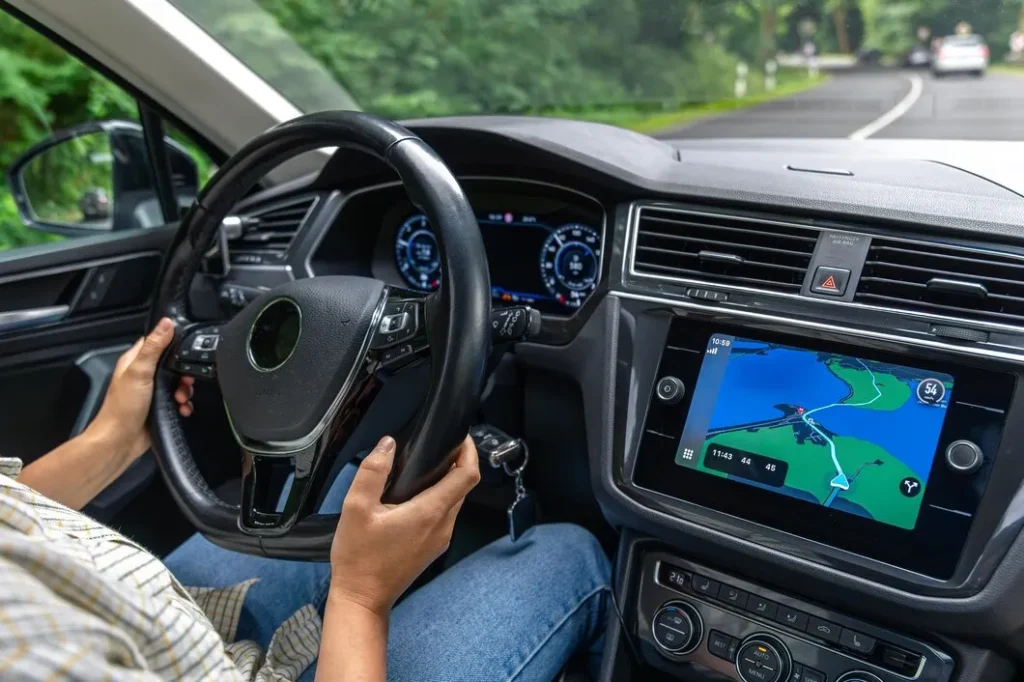
Wireless CarPlay Installation Guide: Everything Dubai Drivers Need to Know
Modern vehicles are no longer just about horsepower and luxury—they are intelligent driving companions. One of the most sought-after upgrades among car owners in Dubai is Wireless Apple CarPlay. Whether you own a premium sedan, an SUV, or a sports car, eliminating cables while keeping seamless access to navigation, music, calls, and messages has become a must-have convenience.
This Wireless CarPlay Installation Guide explains everything you need to know before upgrading your vehicle. From understanding compatibility and installation methods to choosing the right hardware and avoiding common mistakes, this guide has been created using real-world experience from the technicians at Premium Car Hub in Dubai.
Unlike generic automotive blogs, this guide focuses on UAE driving conditions, premium vehicle integration, factory-style installations, and long-term reliability, helping you make an informed decision before investing in a Wireless CarPlay upgrade.
Contact Premium Car Hub for Wireless CarPlay Installation
What is Wireless Apple CarPlay?
Wireless Apple CarPlay is Apple’s in-car connectivity platform that allows your iPhone to connect to your vehicle’s infotainment system without using a Lightning or USB cable.
Instead of plugging in your phone every time you drive, Wireless CarPlay automatically connects using Bluetooth for authentication and Wi-Fi for high-speed data transfer.
Once connected, drivers can safely access:
- Apple Maps
- Google Maps
- Waze
- Apple Music
- Spotify
- Messages
- Phone Calls
- Siri Voice Assistant
- Podcasts
- Audiobooks
- Calendar
- Third-party navigation apps
The result is a cleaner cabin, quicker connectivity, and a much more enjoyable driving experience.
Contact Premium Car Hub for Wireless CarPlay Installation
Why Wireless CarPlay Has Become Popular in Dubai
Dubai drivers spend considerable time on highways like Sheikh Zayed Road, Al Khail Road, Emirates Road, and Dubai-Al Ain Road. Navigation accuracy, hands-free communication, and uninterrupted entertainment have become essential rather than optional.
Wireless CarPlay offers several advantages specifically valuable for UAE motorists:
- Instant navigation without plugging in a cable
- Hands-free communication during traffic
- Voice-controlled operation through Siri
- Cleaner dashboard with fewer cables
- Safer driving experience
- Seamless music streaming
- Automatic phone connection every time you start the car
Luxury vehicle owners also appreciate maintaining a premium interior without visible charging cables.
Contact Premium Car Hub for Wireless CarPlay Installation
How Wireless CarPlay Works
Many people believe Wireless CarPlay works entirely over Bluetooth. In reality, the process uses two different wireless technologies.
Step 1: Bluetooth Pairing
Bluetooth establishes the initial communication between your iPhone and your vehicle.
It authenticates the device and creates a trusted connection.
Step 2: Wi-Fi Connection
After Bluetooth pairing, the infotainment system automatically switches to Wi-Fi Direct.
Wi-Fi provides significantly higher bandwidth, allowing smooth:
- Navigation
- Music streaming
- Voice commands
- Touchscreen responsiveness
- Real-time maps
This combination delivers performance similar to wired CarPlay while offering complete wireless convenience.
Contact Premium Car Hub for Wireless CarPlay Installation
Is Your Vehicle Compatible?
One of the most common questions technicians receive at Premium Car Hub is:
“Can my car support Wireless CarPlay?”
The answer depends on several factors.
Factory Wireless CarPlay
Many modern vehicles already include Wireless Apple CarPlay.
Examples include newer models from:
- BMW
- Mercedes-Benz
- Audi
- Porsche
- Lexus
- Genesis
- Hyundai
- Kia
- Toyota
- Honda
- Mazda
- Nissan
- Ford
- Chevrolet
If your vehicle already supports Wireless CarPlay, activation may simply require software updates or configuration.
Contact Premium Car Hub for Wireless CarPlay Installation
Wired CarPlay Vehicles
Many vehicles support only wired Apple CarPlay.
In these cases, technicians can usually install:
- Wireless CarPlay adapters
- Factory-compatible modules
- Multimedia interface upgrades
This allows wireless functionality while keeping the factory infotainment screen.
Contact Premium Car Hub for Wireless CarPlay Installation
Older Vehicles
Older vehicles without CarPlay can still enjoy modern smartphone integration by installing:
- Android-based infotainment systems
- Premium multimedia head units
- OEM-style retrofit systems
Professional installation ensures the factory appearance remains intact while adding advanced features.
Contact Premium Car Hub for Wireless CarPlay Installation
Different Ways to Install Wireless CarPlay
There is no single installation method suitable for every vehicle.
Professional installers evaluate the vehicle model before recommending the best solution.
Contact Premium Car Hub for Wireless CarPlay Installation
Option 1: Wireless Adapter
Ideal for vehicles that already support wired Apple CarPlay.
Advantages include:
- Lower cost
- Quick installation
- No dashboard modifications
- Factory screen retained
- Plug-and-play functionality
This solution is popular among owners of luxury German vehicles.
Option 2: OEM Retrofit Module
Some premium vehicles require dedicated interface modules.
Benefits include:
- Factory appearance
- Steering wheel controls remain functional
- Original reverse camera retained
- Parking sensors continue working
- High stability
- Better compatibility
This is the preferred solution for many luxury brands.
Option 3: Complete Multimedia Upgrade
Older vehicles without Apple CarPlay often require replacing the infotainment system.
A premium multimedia upgrade provides:
- Wireless Apple CarPlay
- Android Auto
- Bluetooth
- Navigation
- HD Touchscreen
- Voice commands
- Reverse camera support
- 360-camera compatibility
Professional installation ensures the new system integrates smoothly with the vehicle’s electronics.
Professional Installation vs DIY Installation
Many online videos suggest installing Wireless CarPlay at home.
While adapters may appear simple, premium vehicles involve complex electronic systems.
Contact Premium Car Hub for Wireless CarPlay Installation
DIY Installation
Advantages
- Lower upfront cost
- No labor charges
- Suitable for basic adapters
Disadvantages
- Incorrect wiring
- Software compatibility issues
- Audio glitches
- Warranty concerns
- Dashboard damage
- Poor cable management
- Loss of factory functions
Professional Installation
Professional technicians perform:
- Compatibility inspection
- Software verification
- Factory integration
- Hidden wiring
- Firmware updates
- Touchscreen calibration
- Steering control testing
- Reverse camera testing
- Navigation verification
- Final quality inspection
The result is an installation that feels like it came directly from the manufacturer.
Contact Premium Car Hub for Wireless CarPlay Installation
Installation Process at Premium Car Hub
Although every vehicle differs, professional installations generally follow a structured workflow.
Step 1
Vehicle inspection and compatibility assessment.
Step 2
Software version verification.
Step 3
Selection of the correct Wireless CarPlay solution.
Step 4
Safe dashboard disassembly using specialized trim tools.
Step 5
Installation of compatible hardware.
Step 6
Secure wiring with factory-style routing.
Step 7
Software configuration.
Step 8
Pairing with the customer’s iPhone.
Step 9
Testing:
- Siri
- Calls
- Maps
- Music
- Steering controls
- Reverse camera
- Parking sensors
- Voice commands
Step 10
Road testing before vehicle delivery.
Common Installation Mistakes to Avoid
Many issues reported online are caused by poor installation rather than defective hardware.
Avoid these mistakes:
Buying Cheap Wireless Adapters
Low-cost adapters often suffer from:
- Slow connection
- Frequent disconnections
- Audio delays
- Navigation lag
- Overheating
Ignoring Compatibility
Not every adapter works with every vehicle.
Professional compatibility checks prevent expensive mistakes.
Poor Wiring Practices
Loose wiring can cause:
- Dashboard rattles
- Electrical faults
- Intermittent connectivity
- Infotainment failures
Skipping Firmware Updates
Manufacturers regularly release updates improving:
- Stability
- Device compatibility
- Performance
- Security
Professional installers ensure the latest firmware is installed.
Contact Premium Car Hub for Wireless CarPlay Installation
Wired vs Wireless CarPlay Comparison
| Feature | Wired CarPlay | Wireless CarPlay |
|---|---|---|
| Convenience | Requires USB cable | Automatic connection |
| Cabin Appearance | Visible cables | Clean dashboard |
| Connection Speed | Very fast | Slightly slower initial pairing |
| Daily Use | Plug in every trip | Connects automatically |
| Phone Charging | Yes | Requires separate charging if needed |
| Navigation | Excellent | Excellent |
| Voice Commands | Supported | Supported |
| Music Streaming | Supported | Supported |
| Premium Feel | Good | Excellent |
| Best For | Frequent charging | Maximum convenience |
Benefits of Installing Wireless CarPlay
A professionally installed Wireless CarPlay system offers advantages that go far beyond eliminating cables.
Some of the biggest benefits include:
- Faster access to navigation before starting your journey.
- Safer hands-free communication using Siri.
- Seamless music and podcast streaming.
- Automatic connection every time you enter the vehicle.
- Improved resale appeal for modern vehicles.
- Better integration with premium infotainment systems.
- Reduced dashboard clutter.
- Enhanced driving comfort during long UAE road trips.
- Easy access to real-time traffic updates across Dubai and the Emirates.
- A factory-like user experience when installed correctly.
These benefits become even more valuable for drivers who spend significant time commuting across Dubai, Abu Dhabi, Sharjah, or other Emirates, where navigation accuracy and hands-free operation contribute to a safer and more enjoyable driving experience.
Contact Premium Car Hub for Wireless CarPlay Installation
UAE-Specific Driving Considerations for Wireless CarPlay
Driving in the UAE presents unique challenges that make a professionally installed Wireless CarPlay system even more valuable. From extreme summer temperatures to long highway commutes, your infotainment system must remain reliable under demanding conditions.
1. High Summer Temperatures
During Dubai’s summer months, cabin temperatures can exceed 60°C when a vehicle is parked outdoors. Excessive heat can affect low-quality adapters and electronic components.
Premium Car Hub technicians recommend:
- Automotive-grade Wireless CarPlay hardware
- Proper ventilation during installation
- High-quality wiring and connectors
- Firmware updates for optimal thermal performance
2. Long Daily Commutes
Many UAE residents travel between:
- Dubai
- Abu Dhabi
- Sharjah
- Ajman
- Ras Al Khaimah
Wireless CarPlay allows uninterrupted access to:
- Apple Maps
- Google Maps
- Waze
- Live traffic updates
- Voice navigation
without needing to reconnect your phone throughout the journey.
3. Salik and Navigation
Dubai drivers frequently rely on real-time navigation to avoid congestion and manage routes around Salik toll gates.
Wireless CarPlay provides:
- Faster rerouting
- Live traffic information
- Estimated arrival times
- Voice-guided navigation
- Speed limit alerts (supported apps)
4. Hands-Free Safety
Using a mobile phone while driving can lead to penalties and compromise road safety.
Wireless CarPlay enables:
- Siri voice commands
- Hands-free calling
- Voice messaging
- Music control
- Navigation requests
allowing drivers to keep their attention on the road.
Contact Premium Car Hub for Wireless CarPlay Installation
Pros and Cons of Wireless CarPlay
| Pros | Cons |
|---|---|
| Automatic connection | Slightly higher installation cost |
| Cleaner dashboard | Wireless connection may take a few seconds to initialize |
| Hands-free convenience | Phone battery drains faster than wired mode |
| Premium driving experience | Separate charging may be needed on long trips |
| Excellent navigation support | Compatibility depends on vehicle model |
| Seamless music streaming | Cheap adapters may perform poorly |
| Factory-style integration | Professional installation is recommended |
| Supports Siri voice control | Initial setup requires pairing |
For most drivers, the convenience and safety benefits far outweigh the minor limitations.
Contact Premium Car Hub for Wireless CarPlay Installation
Expert Recommendations from Premium Car Hub Technicians
At Premium Car Hub, technicians install and configure infotainment upgrades across a wide range of luxury and premium vehicles. Based on practical experience, they recommend the following:
Choose Vehicle-Specific Solutions
Avoid universal products when a vehicle-specific module is available. Factory-compatible hardware delivers better stability and preserves original features.
Invest in Quality Hardware
Low-cost adapters often result in:
- Connection drops
- Slow startup
- Audio lag
- Poor touchscreen response
Premium automotive-grade components provide a far more reliable experience.
Update Software Regularly
Apple releases iOS updates frequently, while hardware manufacturers improve compatibility through firmware updates.
Contact Premium Car Hub for Wireless CarPlay Installation
Keeping both updated ensures optimal performance.
Test Every Factory Function
Before handing over the vehicle, technicians verify:
- Steering wheel controls
- Reverse camera
- Parking sensors
- Factory microphone
- Voice assistant
- Audio quality
- Bluetooth functionality
- Touchscreen responsiveness
This ensures the upgrade feels like a factory-installed system.
Contact Premium Car Hub for Wireless CarPlay Installation
Professional Installation Protects Your Vehicle
Modern vehicles contain complex electronics. Improper installation can affect:
- Dashboard electronics
- CAN Bus communication
- Factory infotainment
- Warranty (depending on manufacturer policies)
Professional installation minimizes these risks.
Contact Premium Car Hub for Wireless CarPlay Installation
Explore More Premium Car Hub Services
If you’re planning to upgrade your vehicle beyond Wireless CarPlay, these services can further enhance your driving experience:
- Car Audio & Infotainment Upgrades – Improve sound quality and modernize your entertainment system.
- Luxury Car Interior Customization – Upgrade interiors with premium materials and bespoke finishes.
- Android Display & Multimedia Installation – Add advanced touchscreens with modern connectivity.
- Vehicle Accessories & Electronic Upgrades – Enhance comfort, convenience, and functionality.
- Professional Vehicle Inspection & Consultation – Receive expert advice before choosing an upgrade.
Contact Premium Car Hub for Wireless CarPlay Installation
Helpful Automotive Resources
For additional information about Apple CarPlay and automotive safety, explore these trusted sources:
- Apple CarPlay Official Guide – https://www.apple.com/ios/carplay/
- Apple Developer CarPlay Documentation – https://developer.apple.com/carplay/
- National Highway Traffic Safety Administration (NHTSA) – https://www.nhtsa.gov/
- SAE International Automotive Standards – https://www.sae.org/
- Consumer Reports – Automotive Technology – https://www.consumerreports.org/cars/
These resources provide authoritative information on smartphone integration, vehicle technology, and safe driving practices.
Contact Premium Car Hub for Wireless CarPlay Installation
Frequently Asked Questions
1. Can every car be upgraded to Wireless CarPlay?
Not every vehicle supports the same installation method, but many cars can be upgraded using adapters, retrofit modules, or complete multimedia systems after a compatibility assessment.
2. Does Wireless CarPlay work with all iPhones?
Wireless CarPlay works with compatible iPhones running supported versions of iOS. Updating to the latest iOS version is recommended for the best performance.
3. Will Wireless CarPlay affect my vehicle warranty?
A professionally installed, vehicle-compatible solution is less likely to cause issues. However, warranty policies vary by manufacturer, so consult your dealer if your vehicle is still under warranty.
4. Does Wireless CarPlay drain the phone battery?
Yes. Because both Bluetooth and Wi-Fi remain active, battery consumption is generally higher than with wired CarPlay. Many drivers use a wireless charging pad or USB charger on longer journeys.
5. Can I still use my steering wheel controls?
Yes. Professional installations are designed to retain factory steering wheel buttons, allowing you to control calls, music, and voice commands as before.
6. Is audio quality the same as wired CarPlay?
With quality hardware and proper installation, most users notice little to no difference in everyday audio performance.
7. How long does installation take?
Installation time depends on the vehicle and the chosen solution. Simple adapter setups may take less time, while OEM retrofits or multimedia upgrades require additional configuration and testing.
8. Can Wireless CarPlay be used with Google Maps and Waze?
Yes. Both applications work seamlessly with Wireless CarPlay, providing real-time navigation and traffic updates.
9. What should I do if Wireless CarPlay disconnects?
Check that your iPhone software and the CarPlay firmware are updated. If the issue persists, have the system inspected by a qualified technician to identify compatibility or hardware-related problems.
10. Why choose professional installation instead of doing it yourself?
Professional installation ensures proper wiring, software configuration, compatibility testing, and preservation of important factory functions such as cameras, sensors, and steering wheel controls.
Contact Premium Car Hub for Wireless CarPlay Installation
Conclusion
Upgrading to Wireless Apple CarPlay is one of the most practical improvements you can make to a modern vehicle. It combines convenience, safety, and premium functionality by providing automatic smartphone connectivity without the need for cables.
Whether you drive daily through Dubai’s busy roads, travel between Emirates, or simply want a cleaner and smarter cabin, choosing the right installation method is essential. A professionally installed system not only delivers reliable performance but also preserves your vehicle’s factory features and enhances the overall driving experience.
Contact Premium Car Hub for Wireless CarPlay Installation
This Wireless CarPlay Installation Guide has covered compatibility, installation options, common mistakes, UAE-specific considerations, and expert advice to help you make an informed decision. By investing in quality components and experienced installation, you can enjoy seamless navigation, hands-free communication, and an infotainment system that feels as though it came directly from the manufacturer.
If you’re considering a Wireless CarPlay upgrade, consult experienced professionals who understand premium vehicles and can recommend the best solution for your specific model.
Contact Premium Car Hub for Wireless CarPlay Installation
Contact Premium Car Hub
Premium Car Hub
Location: 20th St – Al Khabaisi – Dubai, United Arab Emirates
Phone: +971 4 570 0353
Email: info@premiumcarhub.com
Website: https://premiumcarhub.com/
Our experienced technicians specialize in premium automotive upgrades, infotainment installations, luxury interior enhancements, and advanced vehicle electronics, delivering factory-quality workmanship for every project.
Contact Premium Car Hub for Wireless CarPlay Installation