
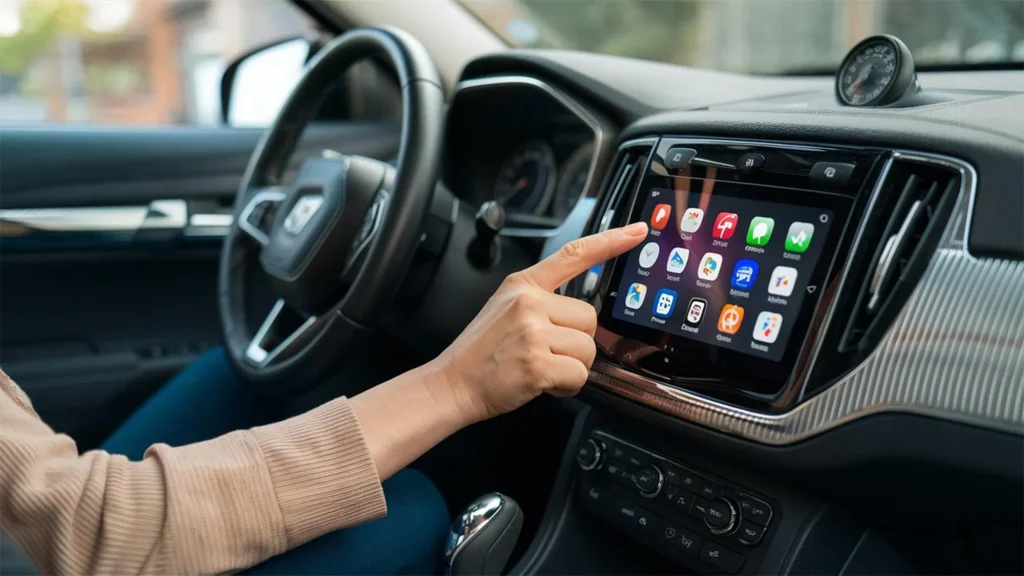
Best Android Screen Upgrade for Toyota, Nissan & BMW in Dubai
A modern infotainment system can completely change how an older or basic-spec vehicle feels from behind the wheel. Navigation becomes easier, music is better organised, calls are more convenient, and features such as wireless Apple CarPlay and Android Auto bring the technology of a newer vehicle into a car you may already know and trust.
For drivers searching for the Best Android Screen for a Toyota, Nissan or BMW in Dubai, however, screen size should not be the only deciding factor.
A properly selected system must communicate correctly with the vehicle, retain important factory functions, respond quickly in Dubai’s heat and integrate cleanly into the dashboard without looking aftermarket.
At Premium Car Hub, the objective is therefore not simply to install the largest available screen. The right approach is to match the Android unit to the vehicle’s model, year, factory audio equipment, original camera system, steering controls and the driver’s actual requirements.
This guide explains how to choose the Best Android Screen, what specifications matter, how Toyota, Nissan and BMW installations differ, and which features UAE drivers should prioritise.
Why Upgrade Your Factory Infotainment Screen?
Many cars remain mechanically excellent long after their original infotainment technology begins to feel outdated.
A Toyota Land Cruiser, Nissan Patrol, Nissan Altima or older BMW may still provide years of reliable driving while its factory screen lacks the connectivity expected from a modern vehicle.
Installing the Best Android Screen can introduce features such as:
- Wireless Android Auto
- Wireless Apple CarPlay
- Google Maps
- Waze
- Bluetooth calling
- Spotify and other music applications
- USB multimedia
- Split-screen functionality
- Reverse-camera integration
- Steering-wheel controls
- Wi-Fi connectivity
- Higher-resolution displays
- Additional storage and RAM
- Optional 360-degree camera compatibility
Google describes Android Auto as a platform that brings navigation, calls, messaging and media functions to compatible vehicle displays. Wireless operation depends on compatible hardware and phone support.
Apple CarPlay similarly allows drivers to access navigation, calls, messaging and supported applications through the vehicle display while retaining compatible vehicle controls.
That combination makes a well-integrated Android screen one of the most noticeable technology upgrades available for an existing vehicle.
What Makes the Best Android Screen Different?
Two screens may look almost identical while providing completely different levels of performance.
The Best Android Screen should be evaluated as an automotive computer rather than simply a touchscreen.
1. RAM
RAM affects how smoothly applications run and how well the system handles multitasking.
Typical options include:
| RAM | Recommended Use |
|---|---|
| 2GB | Basic functions only |
| 4GB | Navigation, music and everyday use |
| 6GB | Strong balance of speed and multitasking |
| 8GB | Premium installations and demanding users |
Premium Car Hub currently offers screen configurations including 4GB, 6GB and 8GB RAM options depending on vehicle compatibility.
For most modern installations, our preference is usually 4GB or higher.
2. Storage
Storage determines how much space is available for applications, downloaded maps and media.
Common configurations include:
- 32GB
- 64GB
- 128GB
For long-term ownership, 64GB is often the practical sweet spot.
3. Processor Performance
Processor specifications are often overlooked.
A large screen powered by a weak processor may:
- Boot slowly
- Lag when switching apps
- Delay reverse-camera display
- Stutter during navigation
- Respond poorly to touch commands
The Best Android Screen should feel immediate rather than merely impressive when switched off.
4. Display Quality
Resolution, brightness and viewing angle matter significantly in Dubai.
A screen that looks excellent indoors can become difficult to read under intense UAE sunlight.
Look for:
- High-resolution IPS or comparable display technology
- Strong daytime brightness
- Anti-glare performance
- Wide viewing angles
- Responsive capacitive touch
- Reliable thermal performance
5. OEM Integration
This is one of the most important considerations.
The Best Android Screen should retain as many original functions as possible, including:
- Steering-wheel buttons
- Reverse camera
- Parking sensors
- Factory amplifier
- Original speakers
- Air-conditioning information where applicable
- Vehicle settings
- BMW iDrive controls where compatible
Premium Car Hub uses model-specific, plug-and-play installations designed to retain factory systems without unnecessary cutting of original wiring.
Best Android Screen for Toyota Vehicles
Toyota vehicles are extremely popular throughout the UAE because of their durability, resale value and ability to cope with demanding regional conditions.
Popular candidates for infotainment upgrades include:
- Toyota Land Cruiser
- Toyota Prado
- Toyota Camry
- Toyota Corolla
- Toyota Fortuner
- Toyota Hilux
- Toyota RAV4
Toyota Land Cruiser and Prado
Land Cruiser and Prado owners frequently want modern connectivity without changing the rugged, premium character of the dashboard.
For these vehicles, the Best Android Screen should support the original reversing camera and steering controls while maintaining a factory-style fit.
Depending on generation and dashboard configuration, owners may choose either an OEM-style replacement or a larger tablet-style display.
For vehicles used for long-distance UAE driving, we particularly recommend:
- Wireless Apple CarPlay
- Wireless Android Auto
- Strong GPS reception
- Minimum 4GB RAM
- 64GB storage or higher
- High-brightness display
- Original camera compatibility
A larger screen is particularly useful when navigating unfamiliar areas of Dubai, Abu Dhabi or the wider Emirates.
Toyota Camry and Corolla
For daily commuters, screen speed and simplicity matter more than extreme size.
The Best Android Screen for a Camry or Corolla should start quickly, connect to a smartphone without repeated pairing problems and retain steering-mounted volume and call controls.
A correctly selected 9-inch or 10-inch system often provides a more balanced dashboard appearance than an oversized tablet installation.
Best Android Screen for Nissan Vehicles
Nissan models are another major part of the UAE car market, particularly the Patrol.
Common upgrades include:
- Nissan Patrol
- Nissan Altima
- Nissan Maxima
- Nissan X-Trail
- Nissan Pathfinder
- Nissan Sunny
Nissan Patrol Android Screen Upgrade
The Patrol deserves particular attention because many vehicles contain more complex factory audio and camera systems.
Choosing the Best Android Screen for a Nissan Patrol requires checking the exact model year and factory specification before installation.
An installer should confirm:
- Factory amplifier compatibility
- Reverse-camera compatibility
- 360-degree camera configuration
- Steering controls
- USB ports
- Original microphone
- Climate-control integration
- Factory display functions
Installing a generic unit without checking these systems can lead to avoidable compromises.
A premium Patrol deserves an Android screen that behaves like part of the original vehicle rather than an accessory bolted into the dashboard.
Nissan Altima and Other Nissan Models
For Altima, Maxima and similar vehicles, a 9-inch to 10.1-inch unit often provides an excellent balance between usability and dashboard integration.
The Best Android Screen configuration should include wireless smartphone connectivity, quick startup and adequate RAM for navigation and music applications.
Best Android Screen for BMW
BMW installations require a different mindset.
Unlike many conventional vehicles, numerous BMW models use integrated iDrive architecture in which the screen is part of a broader vehicle interface.
Typical candidates include:
- BMW 3 Series
- BMW 4 Series
- BMW 5 Series
- BMW 7 Series
- BMW X1
- BMW X3
- BMW X5
- BMW X6
Keep the Original BMW System Available
For many BMW installations, the Best Android Screen does not eliminate iDrive.
Instead, a compatible Android display allows the owner to switch between the original BMW interface and the newer Android environment.
This can preserve access to factory menus while adding:
- Touchscreen functionality
- Wireless CarPlay
- Android Auto
- Google Maps
- Waze
- Spotify
- Bluetooth
- Additional applications
This dual-system approach is normally preferable to replacing important factory functionality.
BMW Audio Integration Matters
BMW vehicles may use different factory audio configurations, amplifiers and AUX or fibre-optic architectures.
A technician should identify the system before installing the screen.
A technically correct BMW Android upgrade should not create:
- Weak sound
- Distortion
- Audio delays
- Missing warning tones
- Unresponsive iDrive controls
For BMW owners, the Best Android Screen is therefore the one that integrates cleanly rather than simply offering the largest display.
Toyota vs Nissan vs BMW Android Screen Comparison
| Feature | Toyota | Nissan | BMW |
|---|---|---|---|
| Installation complexity | Low to medium | Medium | Medium to high |
| OEM-style screens | Excellent availability | Excellent availability | Model-specific |
| Wireless CarPlay | Recommended | Recommended | Highly recommended |
| Android Auto | Recommended | Recommended | Recommended |
| Steering controls | Usually retainable | Usually retainable | Usually retainable |
| Factory camera | Must verify | Important, especially Patrol | Must verify |
| Factory amplifier | Model dependent | Model dependent | Very important |
| Original system retention | Usually full replacement | Model dependent | Often dual-system |
| Ideal RAM | 4GB–8GB | 4GB–8GB | 6GB–8GB recommended |
| Best buyer priority | Reliability | Integration | OEM compatibility |
There is therefore no universal Best Android Screen for all three brands.
The correct unit is determined by the vehicle.
UAE-Specific Driving Considerations
Dubai creates conditions that are very different from moderate climates.
Extreme Cabin Heat
A parked vehicle can become extremely hot.
Electronic components, displays, adhesives and wiring should therefore be selected with temperature resistance in mind.
Cheap displays may experience:
- Screen discolouration
- Touch sensitivity problems
- Random restarting
- Glue separation
- Reduced electronic lifespan
The Best Android Screen for Dubai should use quality components designed for automotive environments rather than generic tablet-grade electronics.
Bright Sunlight
Display brightness becomes particularly important during daytime driving.
A dim screen might appear impressive inside a showroom but become difficult to read on Sheikh Zayed Road at midday.
Navigation
Dubai’s fast-changing road network makes reliable navigation valuable.
Google Maps and Waze can be particularly useful for:
- Live traffic
- Alternative routes
- Lane guidance
- Destination search
- Road-condition updates
Waze can operate through Android Auto on compatible systems.
Wireless Connectivity
Frequent short journeys make wireless CarPlay and Android Auto especially convenient.
Instead of connecting a cable every time, compatible systems can reconnect automatically once properly configured.
How Much RAM Should Your Android Screen Have?
One of the most common mistakes is choosing the screen according to appearance rather than hardware.
2GB RAM
Suitable only for very basic installations.
Not our preferred option for customers seeking long-term smooth performance.
4GB RAM
A sensible entry point.
Suitable for:
- Maps
- Bluetooth
- Spotify
- CarPlay
- Android Auto
- Reverse camera
6GB RAM
Our preferred balance for many customers.
The system usually feels quicker when switching applications or using split-screen functions.
8GB RAM
Recommended for enthusiasts who want the Best Android Screen experience available within their vehicle’s compatible product range.
It provides additional headroom for demanding Android applications and multitasking.
Wireless Android Auto vs Full Android Mode
These functions are often confused.
Android Auto
Android Auto mirrors a driving-optimised environment from your compatible Android smartphone.
Google states that compatible wireless operation relies on supported hardware and wireless connectivity.
Full Android Screen
A true Android head unit operates independently as an Android device.
Depending on configuration, it may support:
- Google Play applications
- Wi-Fi
- Offline media
- Local storage
- Split screen
- Additional navigation apps
The Best Android Screen normally gives owners both options: standalone Android functionality and convenient smartphone projection.
Pros and Cons of an Android Screen Upgrade
Pros
Modern Navigation
Access familiar mapping tools on a larger display.
Wireless Smartphone Integration
Use compatible Android Auto or Apple CarPlay without constantly handling your phone.
Improved Dashboard Appearance
A properly fitted screen can modernise an older interior significantly.
Better Multimedia Control
Music, podcasts and media libraries become easier to manage.
Expandable Features
Depending on the model, Android screens can integrate cameras, DVR systems, tyre-pressure monitoring systems or other accessories.
Retains Vehicle Value
A clean, reversible upgrade can make an older vehicle more appealing to modern buyers.
Cons
Quality Varies Widely
Not every Android unit is built to the same standard.
Compatibility Requires Expertise
Camera systems, factory amplifiers and steering controls must be checked.
Cheap Hardware Can Lag
Low RAM and weak processors quickly become frustrating.
Poor Installation Can Cause Problems
Incorrect wiring can lead to electrical issues, rattles or missing factory functionality.
That is why the installer matters almost as much as choosing the Best Android Screen itself.
Premium Car Hub Technician Recommendations
Based on the practical factors considered when installing vehicle technology upgrades in Dubai, Premium Car Hub technicians recommend checking the following before purchase.
1. Never Choose by Screen Size Alone
An 11-inch screen is not automatically better than a well-integrated 10-inch display.
Fit and functionality come first.
2. Start With 4GB RAM
For a modern installation, 4GB should generally be treated as the practical starting point, with 6GB or 8GB preferred for higher-end users.
3. Confirm Your Exact Model Year
A Toyota Land Cruiser 2015 may require a different interface from a 2021 model.
The same principle applies to Nissan Patrol and BMW generations.
4. Test Every Factory Function Before Delivery
After installation, Premium Car Hub checks functions such as connectivity, audio, navigation and steering controls before vehicle handover.
A proper checklist should include:
- Bluetooth
- Wi-Fi
- CarPlay
- Android Auto
- Reverse camera
- Steering buttons
- Microphone
- Speakers
- USB ports
- GPS
- Original vehicle menus
5. Prefer Plug-and-Play Wiring
The Best Android Screen installation should avoid unnecessary modification of the original wiring harness.
This makes the installation cleaner and potentially easier to reverse later.
Complete Your Car Technology Upgrade at Premium Car Hub
An Android screen can also work particularly well alongside other interior technology upgrades.
Car Android Screen Installation
Start with Premium Car Hub’s dedicated Android screen service for OEM-fit touchscreens, floating displays, split-screen systems and different RAM/storage configurations.
Upgrade Your Car Sound System
A better display becomes even more enjoyable when matched with upgraded speakers, amplifiers or sound tuning.
Add Premium Car Accessories
Charging solutions, technology accessories and convenience upgrades can be incorporated into the same interior modernisation project.
Transform the Interior With Ambient Lighting
Pair your Best Android Screen upgrade with professionally integrated ambient lighting for a more modern cabin.
Add a Head-Up Display
Drivers who want important information closer to their line of sight can also consider a compatible HUD upgrade.
Premium Car Hub provides Android screens, sound systems, accessories, lighting and other customisation services from its Dubai workshop.
Authoritative UAE Automotive Resources
Before purchasing a modification-related gift, consult these official resources:
- Dubai Roads and Transport Authority for vehicle inspection, registration and transport requirements
- UAE Legislation Portal for federal traffic and vehicle-modification legislation
- Dubai Government Vehicle Registration Guide for an overview of registration and inspection requirements
- UAE Road Safety Portal for vehicle-safety and emergency-preparedness guidance
Requirements can change, so vehicle owners should verify current rules directly with the relevant authority before carrying out substantial modifications.
Frequently Asked Questions
1. What is the Best Android Screen for a Toyota Land Cruiser?
The Best Android Screen for a Land Cruiser is a model-specific unit that retains the reverse camera, steering controls, factory audio functions and other compatible vehicle systems. We generally recommend at least 4GB RAM and preferably 64GB storage for everyday use.
2. Can I install an Android screen in a Nissan Patrol?
Yes. Nissan Patrol Android screen upgrades are popular in Dubai. However, the vehicle’s model year, factory amplifier, cameras and original infotainment configuration should be checked before selecting the unit.
3. Can a BMW Android screen retain iDrive?
On many compatible BMW models, yes. The Android interface can work alongside the original BMW environment, allowing the driver to switch between Android functions and the factory system.
4. Will steering-wheel controls continue working?
With the correct vehicle-specific interface, steering controls can normally be retained. Compatibility should still be verified for the exact vehicle.
5. Does an Android screen support Apple CarPlay?
Many modern systems support both wired or wireless Apple CarPlay. Apple confirms that CarPlay can also be added to existing vehicles using compatible aftermarket systems.
6. Is 4GB RAM enough for a car Android screen?
Yes, 4GB is suitable for most normal applications including navigation, Bluetooth, music and smartphone projection. Drivers who frequently multitask may prefer 6GB or 8GB.
7. Is an 8GB Android screen worth buying?
For owners seeking the Best Android Screen performance and planning to keep the system for several years, 8GB can be worthwhile. However, processor quality and software optimisation remain equally important.
8. Can the original reverse camera work with a new screen?
In many Toyota, Nissan and BMW installations it can, provided the correct adapters and compatible head unit are used.
9. How long does Android screen installation take?
Premium Car Hub states that many Android screen installations take approximately 30–60 minutes, although complex wiring or vehicle-specific integration can require additional time.
10. Where can I install the Best Android Screen in Dubai?
Premium Car Hub provides professional Android screen installation from its Al Khabaisi workshop in Dubai, including vehicle-specific systems for major brands such as Toyota, Nissan and BMW.
Conclusion | Choose Integration Before Screen Size
The Best Android Screen is not necessarily the biggest, most expensive or most heavily advertised model.
The right upgrade is the system that works naturally with your vehicle.
For a Toyota, that may mean a reliable OEM-style touchscreen with straightforward camera and steering-control integration.
For a Nissan Patrol, the priority may be retaining factory cameras, audio equipment and other vehicle functions.
For a BMW, maintaining access to iDrive while adding modern touchscreen functionality may matter more than anything else.
In every case, hardware specifications, display quality, heat resistance, software performance and installation quality should be considered together.
A properly selected Best Android Screen can make an older car feel dramatically more modern without taking away the character and controls that made the vehicle good in the first place.
Premium Car Hub’s approach is to select the system around the vehicle rather than forcing the vehicle to work around the screen.
Contact Premium Car Hub
Location: 20th St – Al Khabaisi – Dubai, United Arab Emirates
Phone: +971 4 570 0353
Email: info@premiumcarhub.com
Website: Premium Car Hub
Contact the Premium Car Hub team with your vehicle make, model and year to identify a compatible Android screen configuration and installation approach.